Tennis Scoreboard: How to Put a Live Score on Every Court
By the Multi Score Screen team8 min read
In this guide
Tennis has the most layered scoring of any racket sport. A point can be worth a game, a set or the match depending on when it is played, and the numbers themselves (15, 30, 40, deuce, advantage) make little sense to anyone new to the game. That is why a tennis scoreboard matters even on club courts: it settles "was that 30-40 or deuce?" before it becomes a debate, and it lets anyone walking past understand the match.
This guide explains what a tennis scoreboard needs to show, how the scoring rules translate to the screen, and how a club can turn the TV it already owns into a live scoreboard for matches, lessons and league nights.
Tennis scoring at a glance
- Points go love, 15, 30, 40, game
- At 40-40 (deuce) a player needs two points in a row: advantage, then game
- A set is won with six games and a two-game lead, with a tiebreak at 6-6 in most formats
- Many club and doubles events play a match tiebreak, first to ten, instead of a full third set
The three layers a tennis scoreboard has to show
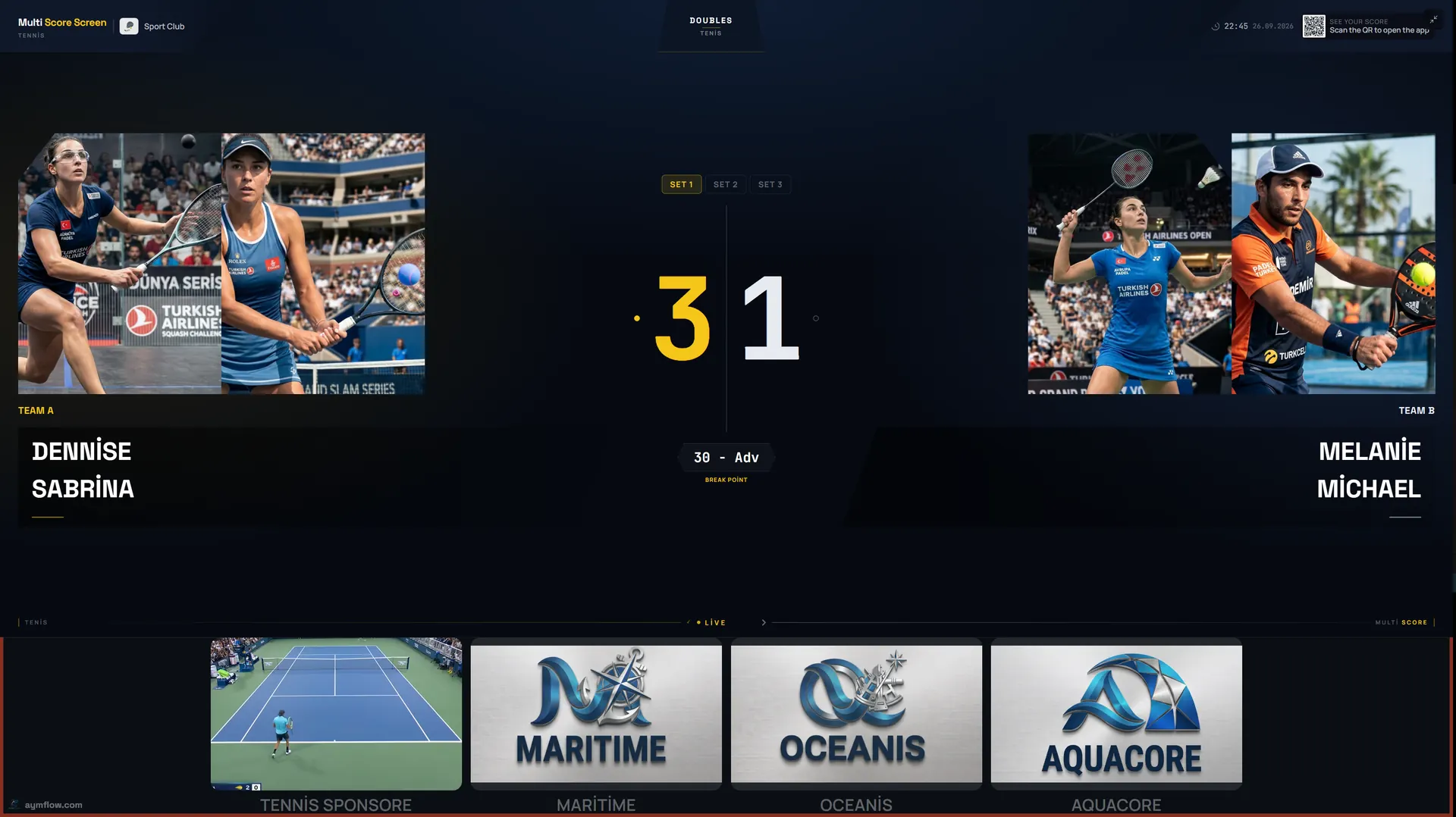
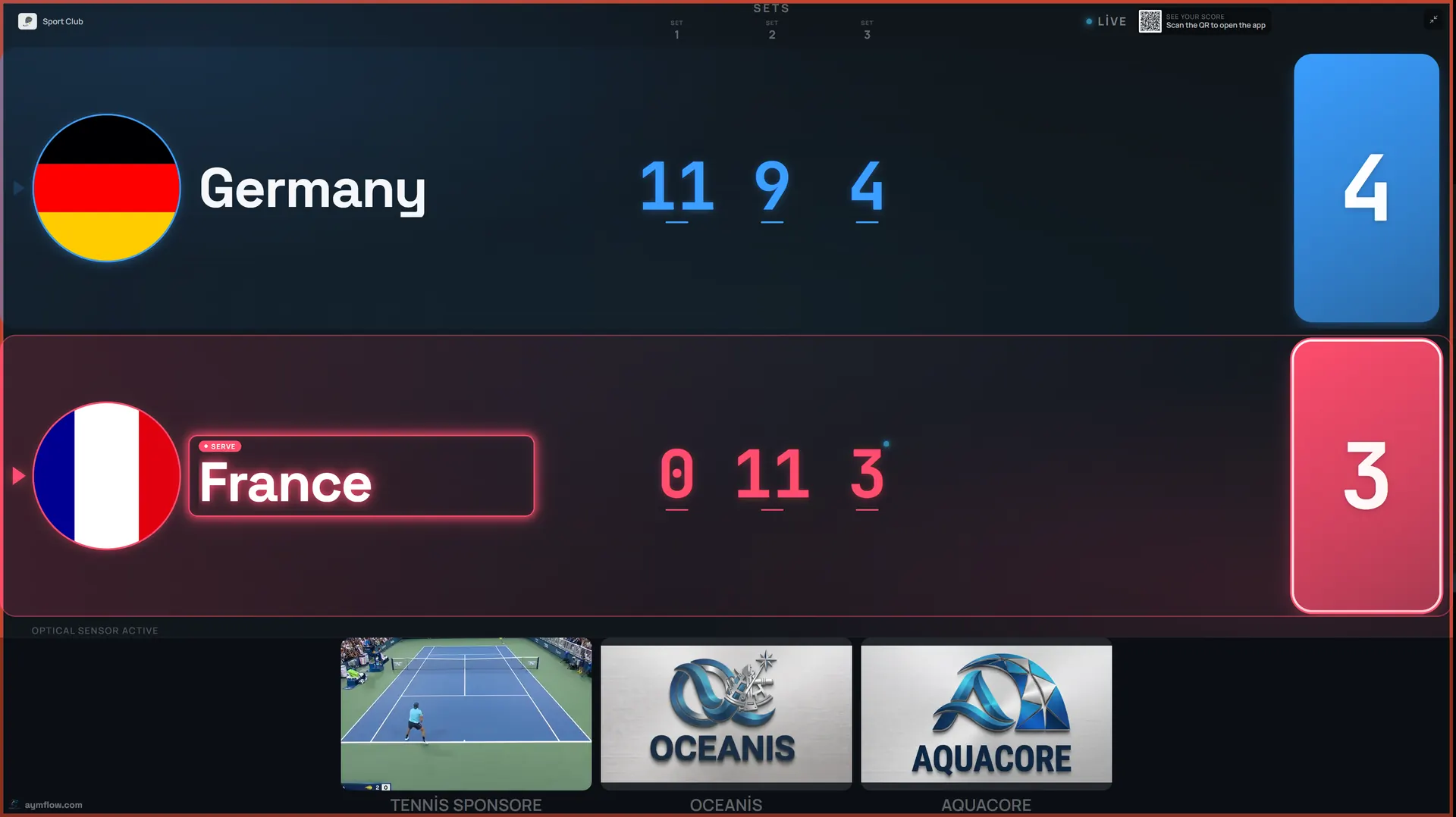
A tennis match is points inside games, games inside sets and sets inside the match. A useful scoreboard shows all three at once without clutter: the sets already played, the games in the current set and the point score of the game in progress. On a Multi Score Screen tennis scoreboard, each player or doubles team has its own row with names and photos, completed sets line up beside the names, the current game is shown in large figures and a serve indicator shows who is serving.
The screenshot at the top of this page is a real doubles match: 3-1 in the first set with the game at 30-Adv. A glance at the screen tells you it is break point.
Deuce, advantage and no-ad scoring
Deuce is where players most often lose the thread. After 40-40 the next point gives one side the advantage; if the other side wins the following point, the score returns to deuce. A scoreboard that understands the rules tracks this automatically, so the scorer only taps who won the point and the screen shows deuce or advantage correctly.
Some leagues and junior events play no-ad scoring, where a single deciding point is played at 40-40 to keep matches short. If your club uses a format like that, check it with us when you request a demo so you can see how your match format is scored before your first event.
Tiebreaks and match tiebreaks
At six games all, a tiebreak decides the set. Points are counted 1, 2, 3 and the first player to seven with a two-point lead wins. The serve rotates after the first point and then every two points, and players change ends every six points. A match tiebreak works the same way but goes to ten, and many club doubles events use it instead of a third set.
These are the moments when a court without a scoreboard falls back on guesswork. Multi Score Screen follows full set and tiebreak scoring, including points, games, sets, deuce and advantage, and if someone taps the wrong side, point and game undo corrects it instantly without restarting the match or losing the rest of the score.
Turning your court TV into a tennis scoreboard
There is no scoreboard hardware to install. The scoreboard runs on the TV or display a court already has, as long as it has a Wi-Fi or internet connection and either a streaming app or an HDMI input. The score is entered from a phone.
- Create your club account and work through the setup checklist.
- Add each court, choose tennis as the sport and set its mode: rental, lesson or tournament.
- Activate the license for the court with the key you receive by email.
- Open the scoreboard on the court TV and pick a theme.
- Start a match from a phone, enter the player names and play a test point.
Most courts are live within minutes, and venues usually run their first court the same day they sign up. If you are planning screens for outdoor courts, our guide to indoor and outdoor scoreboards explains what to look for in an outdoor-rated display. The scoring software itself works the same indoors and outdoors.

Placing the screen on a tennis court
A tennis court is long, so readability matters more than on smaller courts. The most useful position is where both players can see it during changeovers and where spectators naturally gather: typically at the side of the court near the benches, or above the back fence for courts viewed from a clubhouse. The large game score and high-contrast themes are designed to be read from a distance, and the same layout works on a wall-mounted TV or a large venue display.
Who updates the score
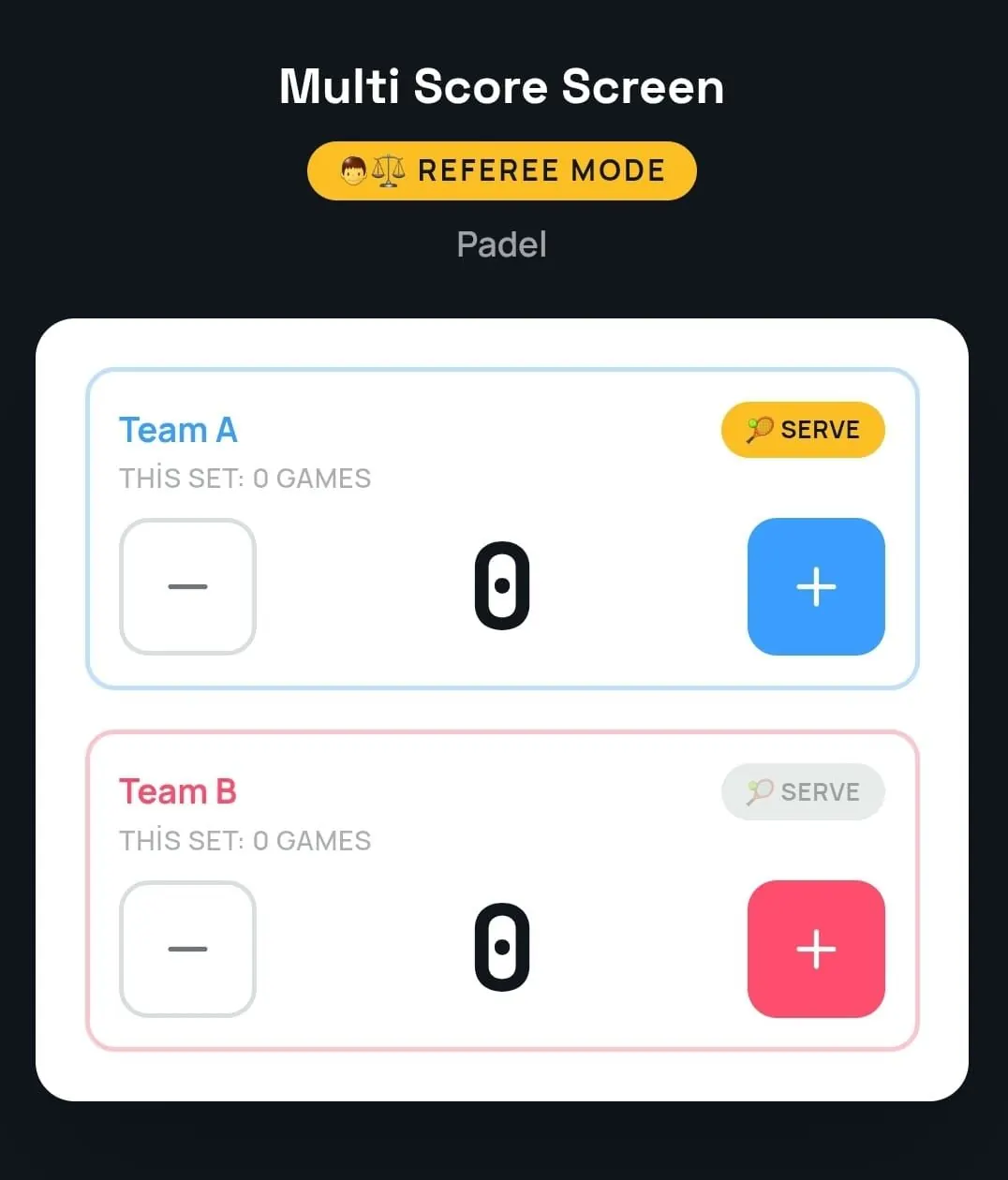
In casual play the players update the score themselves between points. For club championships and finals, referee mode gives a chair umpire, coach or staff member a phone console with large plus and minus buttons for each side, a serve indicator and the games of the current set. It is the official score, entered by hand, with no sensors required.
If the venue's Wi-Fi drops for a moment, scoring keeps working and syncs automatically once the connection returns, so a match is never interrupted.
Lessons, leagues and tournaments
Tennis clubs use their courts in very different ways across a single day, and the court mode follows that:
- Lesson mode for coaching sessions, where a coach can run practice sets or tiebreak drills with a visible score.
- Rental mode for members booking a court, with a join QR code and PIN on the TV so players can start their own match.
- Tournament mode for club championships and league nights, running round-robin or knockout brackets across multiple courts from one dashboard.
The Court Status Board shows which courts are empty, occupied or reserved, and the Reservation Calendar lets the desk add, edit or cancel bookings. When a match ends, a winner screen shows the final set scores before the court resets.

Live scores for spectators
Tennis is often watched from a distance: from the clubhouse terrace, another court or home. A QR code opens a live link to the match in any mobile browser, so parents, teammates and tournament organizers can follow the score without installing an app. The score display is also clean enough to be used as an on-screen overlay when a court is recorded or streamed.
What a tennis club gains
- Players stay focused on tennis, not on remembering whether it was 30-40.
- Officials and organizers get an accurate record of every set, and statistics show reservation counts and occupancy by sport, with a CSV export.
- Members and visitors understand the match at a glance, which makes club events more enjoyable to watch.
- Sponsors appear in a strip beneath the live score and in full-screen ads between matches.
Many tennis clubs now also run padel or pickleball courts. The same account scores all eight supported sports, so you can read our padel scoreboard guide or pickleball scoreboard guide to see how those matches look on screen.
Plans for tennis courts
Every plan runs on the TV a court already owns. Starter at $44/month ($528/year) covers one court and one sport. Pro at $134/month ($1,608/year) covers up to five courts with all eight sports, plus custom team names and colors. Elite at $224/month ($2,688/year) covers up to ten courts with white-label branding, dedicated onboarding and priority support with an SLA. Unlimited is a lifetime license at $1,299 per court, with optical sensors included and software updates not included. See the full comparison on the pricing page.
In-depth tennis scoreboard guides
Each part of running a tennis scoreboard has its own guide:
- Running club championships and league nights across courts: tennis tournament scoreboard
- Selling screen space to local businesses: tennis scoreboard sponsorship
- Scoring from a phone with the QR code, PIN and referee mode: tennis scoreboard app
- Getting a signal to courts far from the clubhouse: Wi-Fi for a tennis scoreboard
- Placing the screen on outdoor, covered and indoor courts: outdoor tennis court scoreboard
- Flip cards on the net post compared with a court TV: digital vs manual tennis scoreboard
- What to check before you buy: tennis scoreboard buying guide
- Choosing a theme for each court: tennis scoreboard themes
- Fixing common problems on court: tennis scoreboard problems and fixes
Frequently asked questions
What does a tennis scoreboard show?
Player or team names, the point score of the current game, games in the current set, completed sets and who is serving. Multi Score Screen also shows player photos and a sponsor strip.
Does the scoreboard handle tiebreaks automatically?
Yes. It follows full set and tiebreak scoring, including deuce and advantage, so the scorer only records who won each point.
Can I use the TV we already have on court?
Yes. The scoreboard runs on an existing TV or display with an internet connection and either a streaming app or an HDMI input. There is no dedicated scoreboard hardware.
What happens if the scorer taps the wrong button?
Point and game undo fixes the mistake instantly, without restarting the match or losing the rest of the score.
Can one system score tennis and other sports?
Yes. The same platform scores tennis, padel, pickleball, badminton, squash, table tennis, volleyball and padbol. The Pro, Elite and Unlimited plans unlock all eight sports.
Ready to see a live tennis score on your own court TV? Request a demo and we will set up a match with you.
Explore the Multi Score Screen digital scoreboard for padel, tennis, pickleball and 5 more sports →