Pickleball Electronic Scoreboard: Scoring, Setup and Live Scores
Ask a group of pickleball players for the score halfway through a doubles game and you will often get three different answers. Side-out scoring, the three-number call and a server who changes after almost every rally make pickleball one of the easiest sports to lose count in. A pickleball electronic scoreboard fixes that by keeping the score, and the server, on a screen everyone can see.
The good news for clubs is that an electronic scoreboard no longer means a dedicated LED board and an electrician. This guide explains how pickleball scoring works on screen, how to turn an ordinary court TV into a live pickleball scoreboard, and what it changes for open play, leagues and tournaments.
Pickleball scoring at a glance
- Games are usually played to 11 points and must be won by two
- In traditional side-out scoring only the serving side can score a point
- Doubles scores are called as three numbers: serving team's score, receiving team's score, server number
- Some tournaments play games to 15 or 21, and some leagues and pro events use rally scoring
- Matches are often the best of three games
Why pickleball scores are so easy to lose
In most racket sports every rally changes the score. In traditional pickleball scoring, a rally won by the receiving side changes nothing on the scoreboard; it only takes the serve back. In doubles, each team has two servers, so after a lost rally the serve may pass to the partner or to the other team. The score call 4-2-1 means the serving team has four points, the receivers have two, and the first server is serving. At the very start of a game the call is 0-0-2, because the first serving team gets only one server before the first side-out.
None of this is complicated on paper, but in a fast game with a long dink rally it is easy to forget whether the last point was a point or a side-out. That is exactly the information an electronic scoreboard keeps for you.
What a pickleball scoreboard should show
A good pickleball display keeps the information that causes the most disputes in plain view:
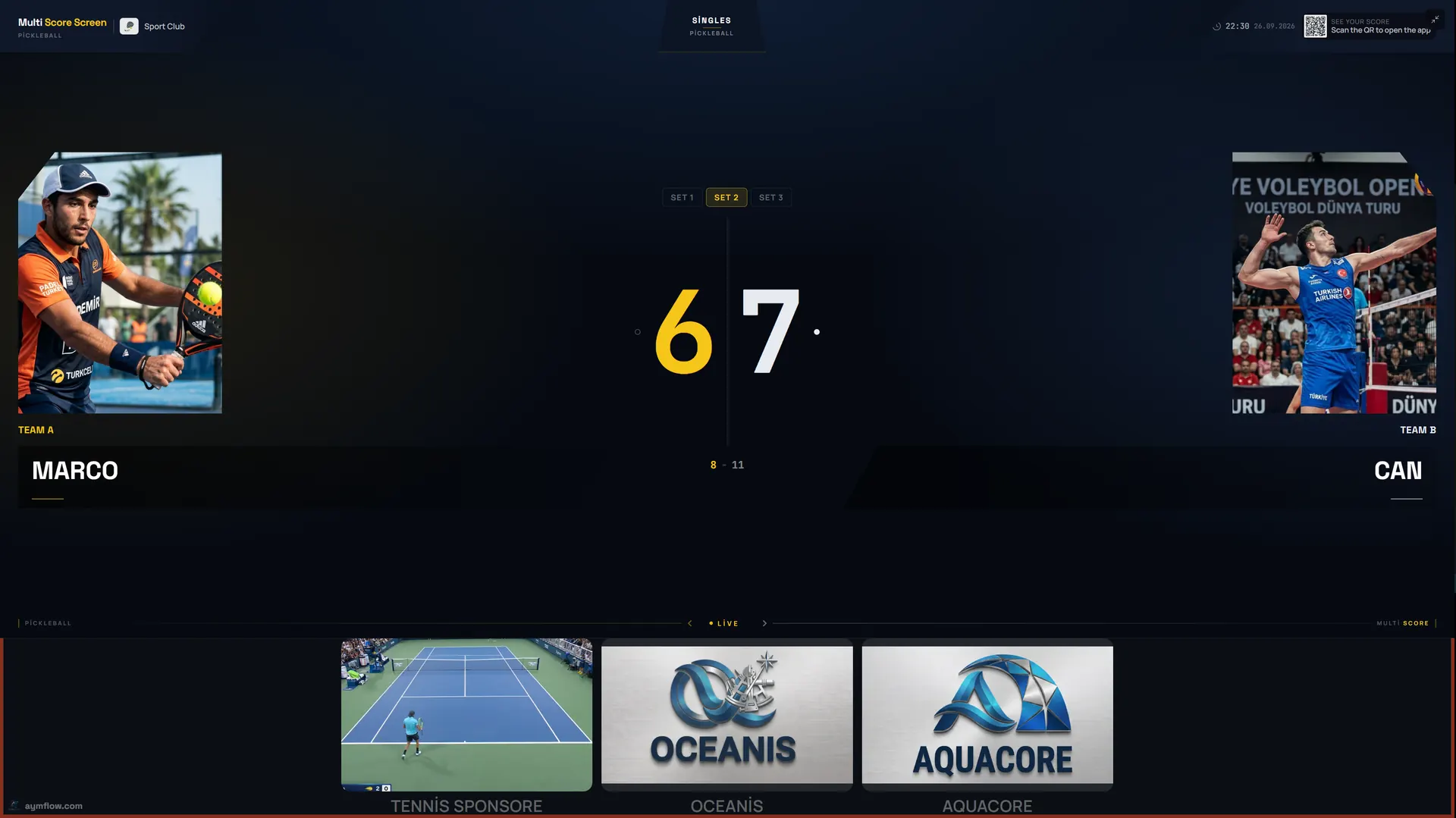
- Player or team names and photos for each side
- The current score of the game in progress
- The serving side and server number, so the three-number call is always clear
- Games won in the match
- Court information, such as the court name and its current status
- A sponsor strip, for clubs that want partners to be visible during play
The screenshot at the top of this page shows a real singles match on Multi Score Screen: game two at 6-7, with player photos and a sponsor strip under the score.
Side-out scoring and rally scoring on one system
Multi Score Screen supports pickleball singles and doubles, including traditional side-out scoring with games to 11 and a two-point margin, the three-number score call in doubles, and rally scoring formats where every rally scores a point. That matters because many clubs mix formats: casual open play under side-out rules, a weekly league on rally scoring, a tournament with games to 15. The scorer records who won each rally, and the scoreboard applies the format of that match, including when a won rally means a side-out instead of a point.
Setting up a pickleball electronic scoreboard on a TV
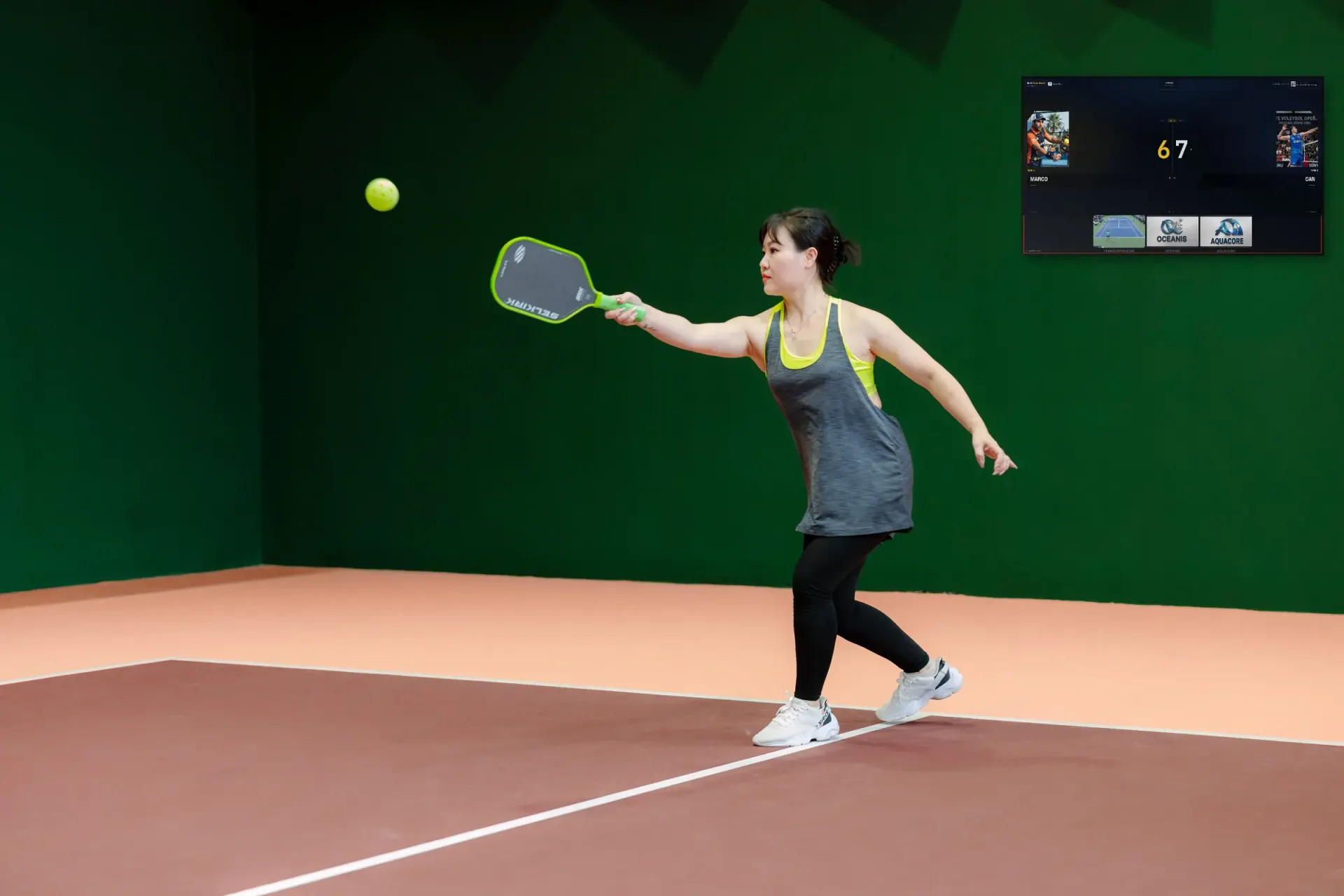
The scoreboard runs on the TV or display a court already has. It needs a Wi-Fi or internet connection and either a streaming app or an HDMI input, and the score is entered from a phone. There is no cable between the phone and the screen, and no scoreboard hardware to mount.
- Create your club account and follow the setup checklist.
- Add the court and choose pickleball as its sport.
- Choose the court mode: rental for bookings and open play, lesson for coaching, tournament for events.
- Activate the court's license with the key sent to you by email.
- Open the scoreboard on the court TV, choose a theme and play a test rally from a phone.
Most courts are live within minutes. If you are equipping several courts at once, our TV scoreboard setup guide covers the checks to do on each TV, and the wireless vs wired scoreboard comparison explains why a phone-controlled display is easier to install on converted courts.
Open play: let players start their own match
Pickleball clubs run on open play and short bookings, with groups rotating on and off the courts all evening. When a court is set up, a join QR code and a PIN are generated automatically and shown on the court TV. The next group scans the code, enters the PIN and joins the match from their own phones. The QR and PIN refresh after every match, and player names and photos are temporary: they are removed when the match ends.
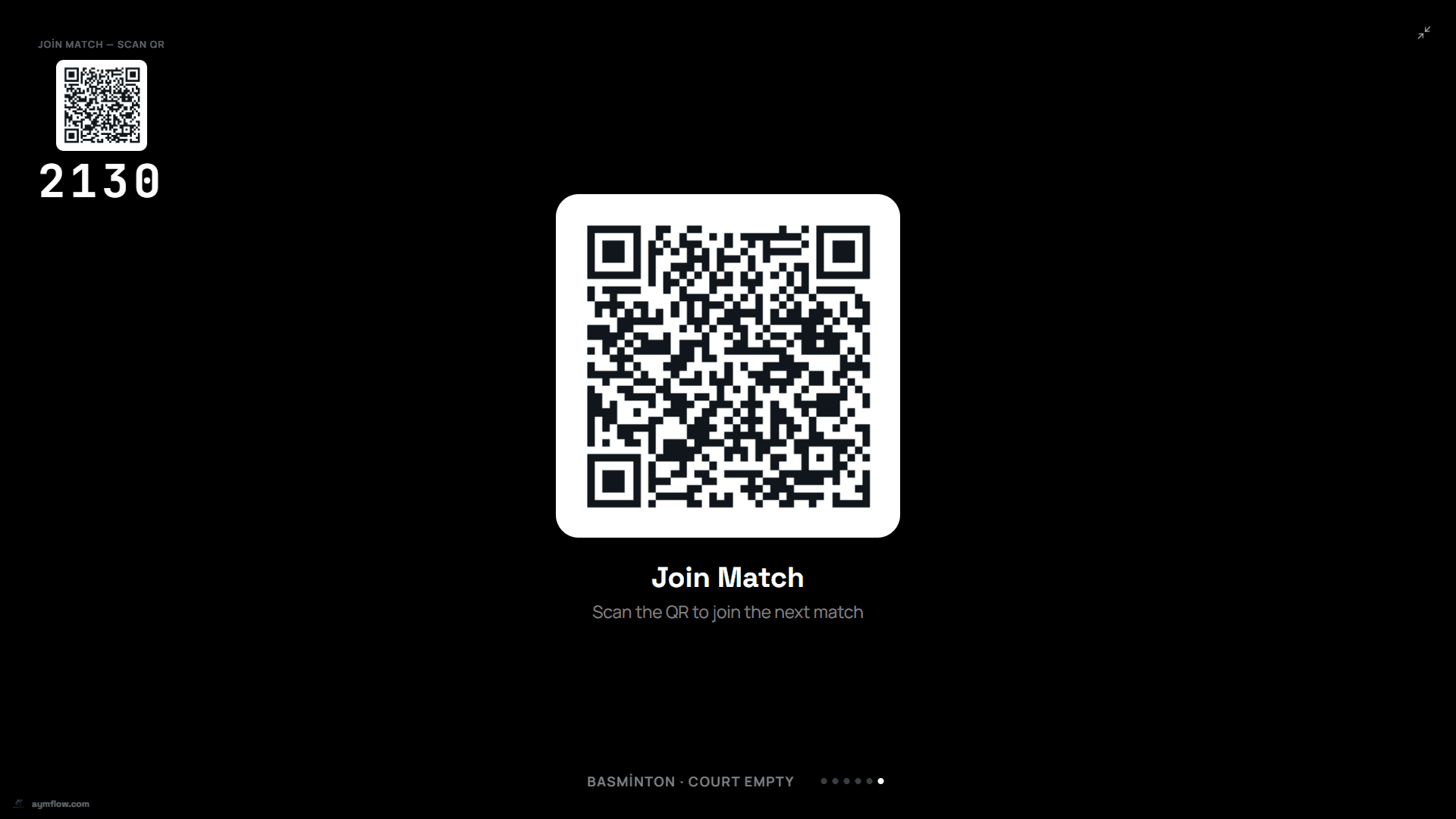
While a court is empty, the TV rotates full-screen sponsor ads along with the join QR code, so the screen is useful even between games.
Referee mode for leagues and tournaments
For league matches, ladders and tournament play, the score usually needs to be official. Referee mode turns a phone into the match console: a referee or staff member adds a point, takes one back and sets the server, and the TV follows instantly. Because the score is entered by hand, a court running referee mode needs no sensors.
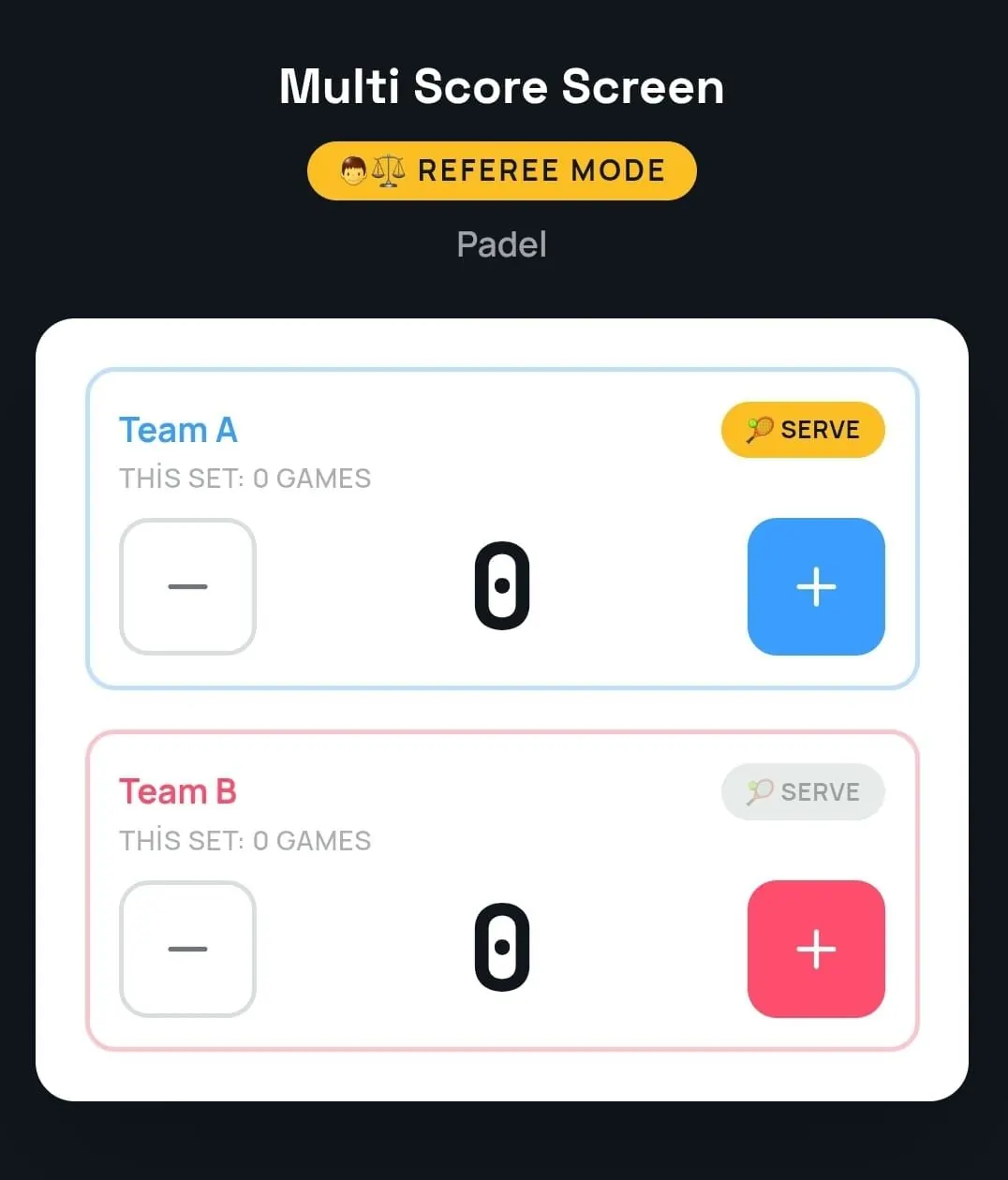
Mistakes are easy to fix with point and game undo, and if the venue's Wi-Fi drops briefly, scoring keeps working and syncs when the connection returns.
Running a pickleball event across several courts
Pickleball events are usually busy: many short matches on many courts. Tournament mode runs round-robin or knockout brackets across multiple courts from one dashboard, each court TV shows its own live match, and the Court Status Board shows at a glance which courts are empty, occupied or reserved. Players and spectators can scan a QR code to follow any match live in their mobile browser, with no app to download, which is helpful when friends and family are spread across a large venue.
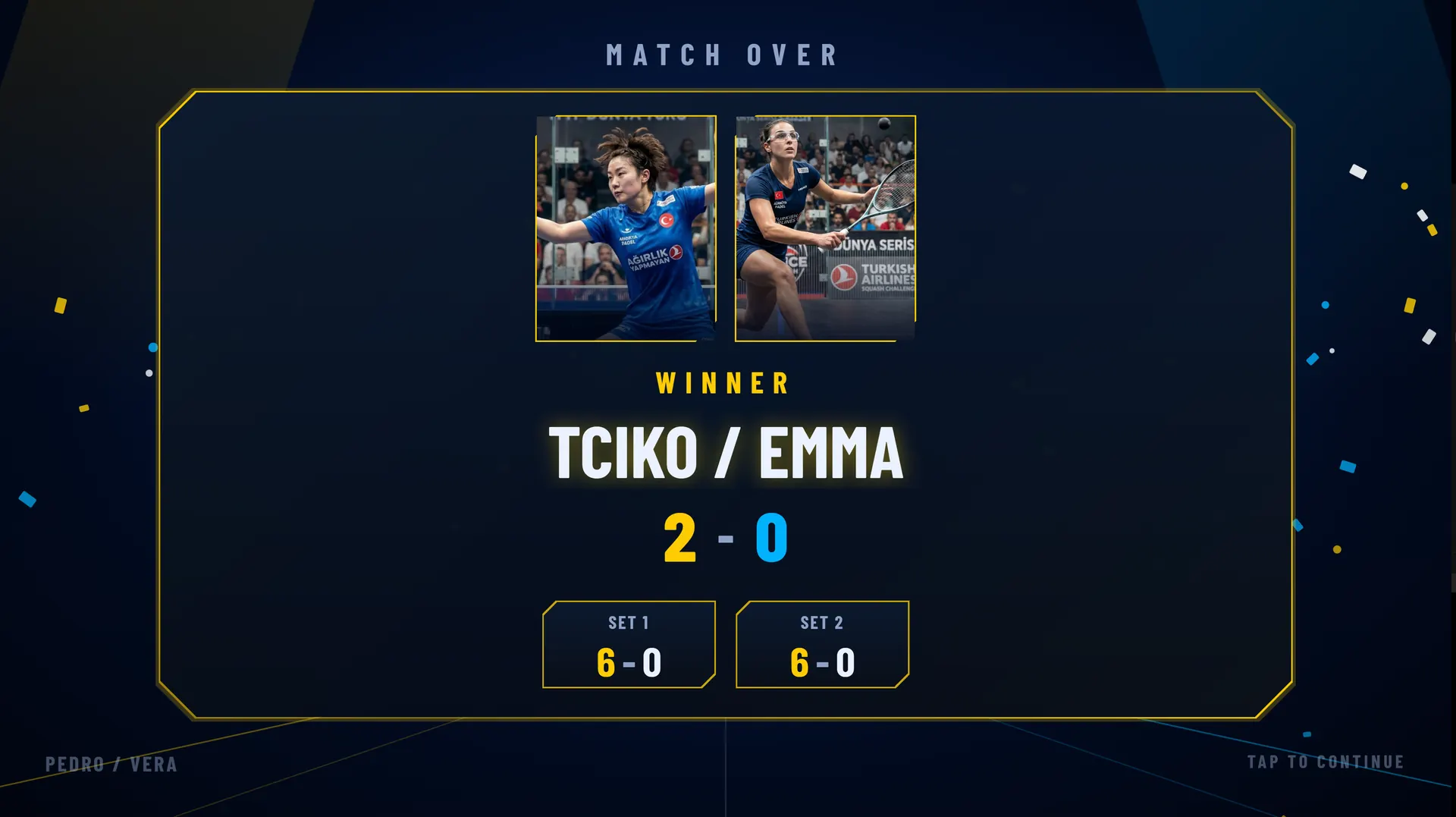
When a match finishes, a winner screen shows the result before the court resets for the next group.
Screen themes
Each court TV can use its own theme while the live score stays the same: minimal Platinum, bold Classic with the score in large color blocks, Gold with a match clock for finals, Broadcast with large player photos on each side, the glowing Neon or the clean, sporty Pro theme. On the Pro, Elite and Unlimited plans you can set custom team names and colors, which is useful for leagues with fixed teams.
Converted tennis courts and multi-sport venues
Many pickleball courts are lined on existing tennis courts or share a hall with badminton and volleyball. Because Multi Score Screen supports eight sports on one platform, the same TV can score pickleball in the morning and tennis in the afternoon, and the club manages every court from a single login. If your venue also runs racket sports, see our tennis scoreboard guide and padel scoreboard guide.
Plans for pickleball courts
All plans run on the TV a court already owns. Starter ($44/month or $528/year) covers one court and one sport, a good fit for a single pickleball court. Pro ($134/month or $1,608/year) covers up to five courts with all eight sports. Elite ($224/month or $2,688/year) covers up to ten courts with white-label branding and dedicated onboarding. Unlimited is a lifetime license at $1,299 per court, with optical sensors included and software updates not included. Compare every plan on the pricing page.
Frequently asked questions
How many points are needed to win a pickleball game?
Games are usually played to 11 points and must be won by two. Some tournaments play games to 15 or 21 points.
Can you score a point when you are not serving?
Not in traditional side-out scoring: only the serving side can score, and the receiving side wins the serve by winning the rally. In rally scoring formats, every rally scores a point.
What do the three numbers in a doubles score mean?
They are the serving team's score, the receiving team's score and the server number, 1 or 2, showing which partner is serving.
Do I need special hardware for a pickleball electronic scoreboard?
No. Multi Score Screen runs on the TV or display a court already has, with an internet connection and a streaming app or HDMI input, and it is controlled from a phone.
Can players start a match without staff?
Yes. Players scan the QR code on the court TV, enter the PIN and join the match from their own phones.
Want to see it on your own courts? Request a demo and we will run a live pickleball game on the TV you already have.
Explore the Multi Score Screen digital scoreboard for padel, tennis, pickleball and 5 more sports →