Padbol Scoreboard: The Complete Guide for Clubs and Courts
Padbol is still a young sport, but the clubs that add a padbol court quickly run into a familiar problem: after a few long rallies nobody on court is quite sure of the score, and spectators behind the glass have no idea at all. A padbol scoreboard solves that by putting the score on a screen everyone can read, and with Multi Score Screen that screen can be the TV the court already has.
This guide explains what padbol is, what a padbol score screen should show, how to set one up on an ordinary TV, and how the same system works when a venue also runs padel, tennis or other court sports.
Padbol scoreboard at a glance
- Runs on any TV or display with an internet connection and a streaming app or HDMI input
- The score is entered from a phone: no cables, no scoreboard hardware to mount
- Shows set and game scores, the current point, the serving side and the match time
- Player names, photos and a sponsor strip around the live score
- A QR code lets spectators follow the match on their own phones
- The same account also scores padel, tennis, pickleball, badminton, squash, table tennis and volleyball
What is padbol?
Padbol is a sport that started in La Plata, Argentina, at the end of the 2000s. It brings together ideas from football and padel: it is played in pairs on a small court enclosed by walls, with a net across the middle, and players play the ball with their feet, head and body instead of a racket. Since the first courts opened in Argentina the sport has spread to many countries, and international competitions are held regularly.
For a club, padbol is attractive for the same reason padel was a decade ago: it is easy to start, fun to watch and fits into a compact court. That also means many players are new to it, and new players are exactly the ones who lose track of the score.
Rules and scoring details can vary between federations, leagues and events, so check the format your competition uses. This guide focuses on what the scoreboard shows on screen.
Why a padbol court needs a scoreboard
Padbol rallies are fast and physical. Players are concentrating on the ball, the walls and their partner, not on counting points. Without a visible score, three things tend to happen:
- Disputes: two pairs remember the last game differently and the match stops while they argue.
- Lost time on bookings: every pause to rebuild the score eats into a paid court slot.
- Nothing to watch: friends, families and the next group waiting for the court can't follow what is happening.
A score screen fixes all three. The players glance up between points, spectators see who is ahead, and the venue looks more professional. If you want the full business case, read why a padbol scoreboard is important.
What a padbol score screen shows
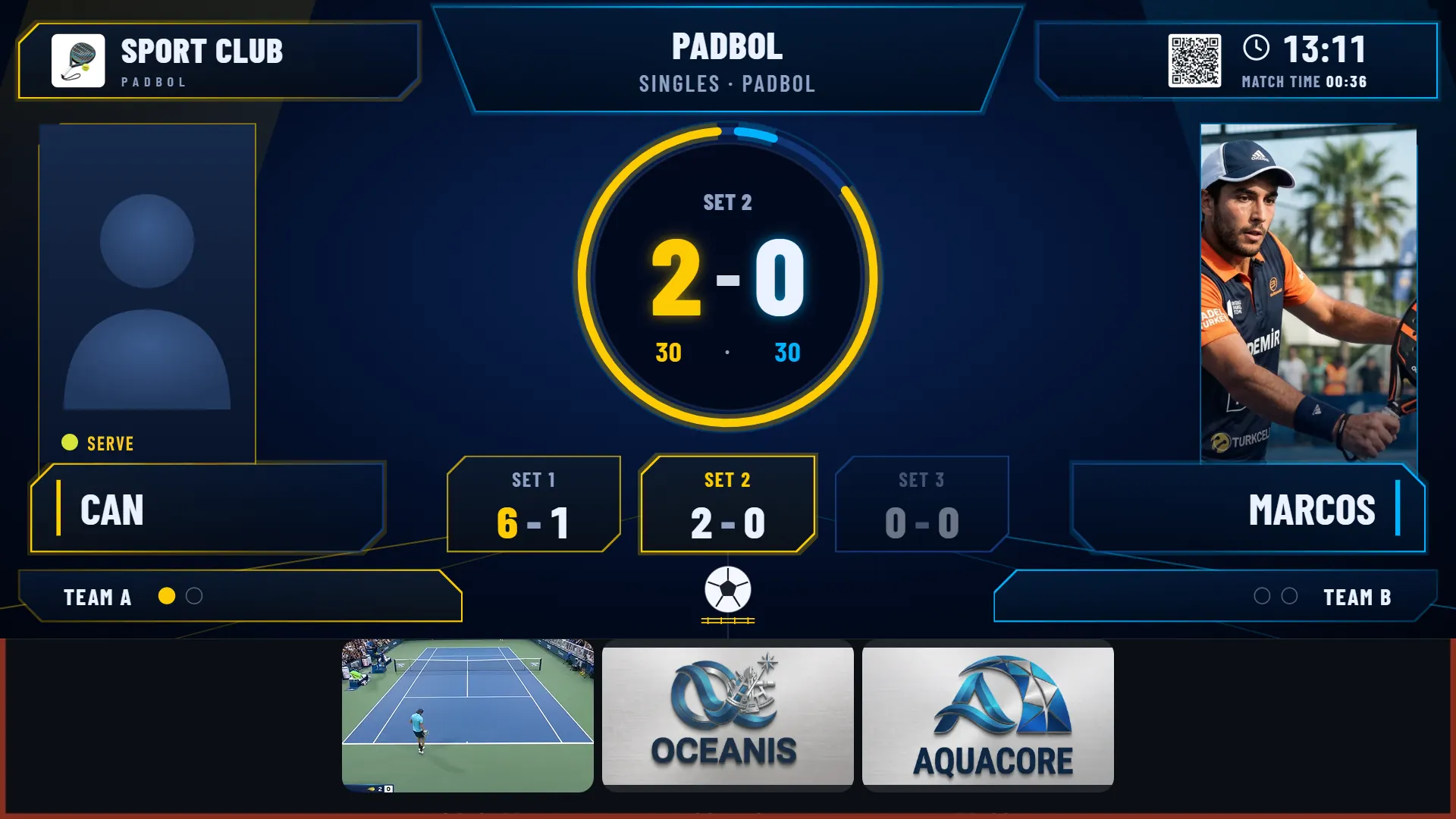
The screenshot at the top of this page is a real Multi Score Screen padbol match in the Neon theme. It shows the kind of information a padbol score screen should keep in view:
- The sport and match type, here "Singles · Padbol"
- The current set and its game score, large in the centre (set 2 at 2-0)
- The current point in the familiar 15-30-40 style (30-30)
- Every set played so far in its own box (set 1 won 6-1)
- Who is serving, marked next to the player
- Player names and photos for each side
- The club name, the time of day and the match time
- A QR code for live scores on phones
- A sponsor strip along the bottom of the screen
Because the layout puts the set and point score in the middle and the players on each side, it can be read from anywhere on the court and from behind the glass.
A padbol scoreboard on the TV you already have
Traditional scoreboards are dedicated LED boards that need mounting, wiring and sometimes an electrician. Multi Score Screen works differently: it is software that runs on a normal TV or display. All it needs is:
- a TV or monitor at the court,
- an internet connection (Wi-Fi is enough),
- a streaming app or an HDMI input to open the scoreboard,
- and a phone to enter the score.
There is no cable between the phone and the screen, and nothing to install on the court itself. If the venue's Wi-Fi drops for a moment, scoring keeps working on the phone and the screen catches up when the connection returns.
Controlling the score from a phone
Every point is entered from a phone, so nobody has to walk to a board or flip numbers. There are two ways to keep the score:
- Players keep it themselves. When a court is set up, a join QR code and a PIN appear on the court TV. Players scan the code, enter the PIN and join the match from their own phones. The QR and PIN refresh after every match, and player names and photos are removed when the match ends.
- A referee or staff member keeps it. Referee mode turns a phone into the match console: add a point, take one back, set the server, and the TV follows instantly. Because the score is entered by hand, a court in referee mode needs no sensors.
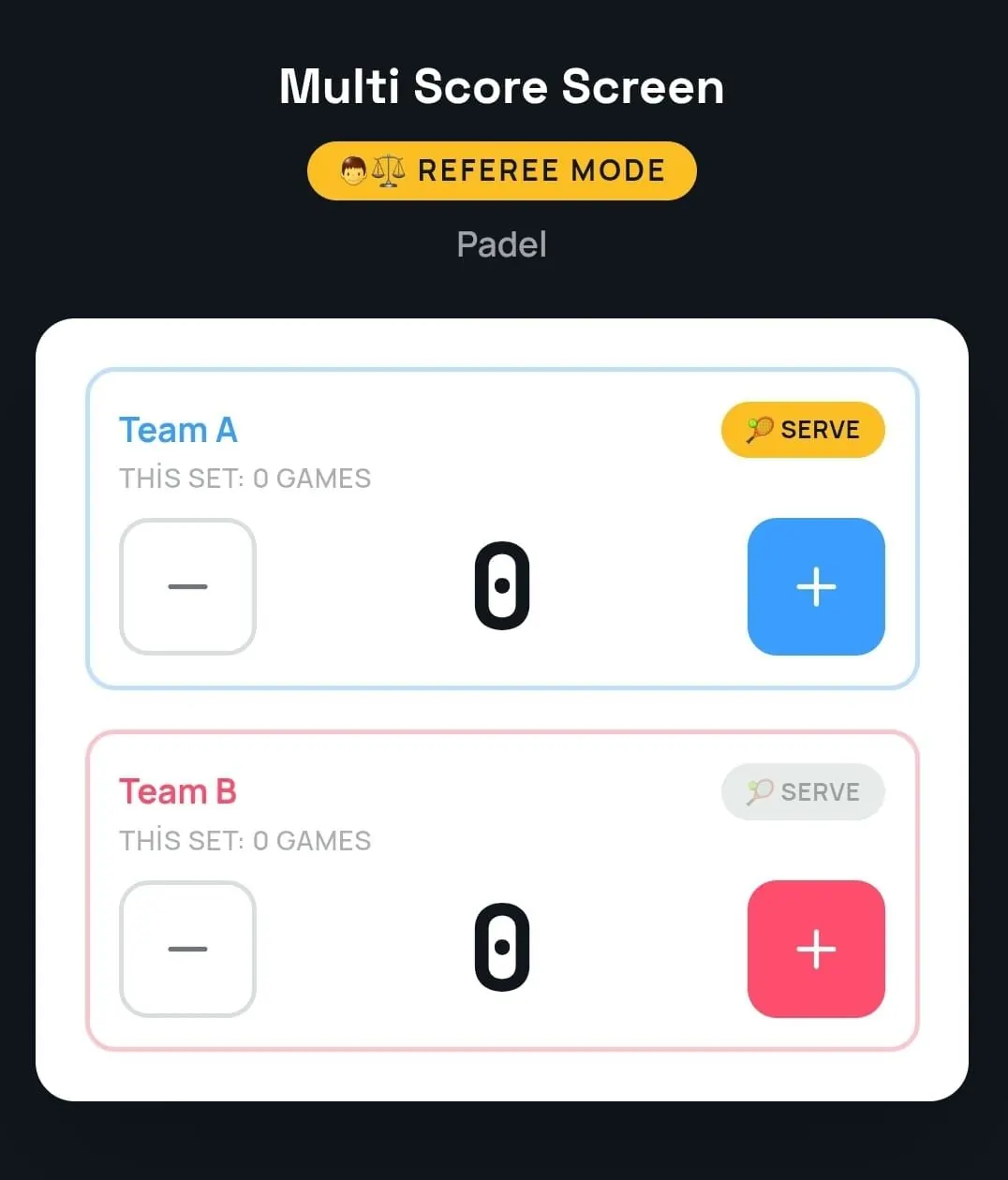
Mistakes are easy to fix with point and game undo, which matters in a fast sport where a tap can land on the wrong side.
Setting up a padbol scoreboard step by step
- Create your club account and follow the setup checklist.
- Add the court and choose padbol as its sport.
- Choose the court mode: rental for bookings, lesson for coaching, tournament for events.
- Activate the court's license with the key sent to you by email.
- Open the scoreboard on the court TV, choose a theme and play a test rally from a phone.
Most courts are live within minutes. For a detailed walkthrough of the TV side, including which inputs and apps to use, read how to set up a padbol scoreboard on your TV and our general TV scoreboard setup guide.
Screen themes, sponsors and the winner screen
Each court TV can use its own look while the live score stays the same: minimal Platinum, bold Classic, Gold with a match clock, Broadcast with large player photos, the glowing Neon shown above, or the clean Pro theme. On the Pro, Elite and Unlimited plans you can also set custom team names and colors.
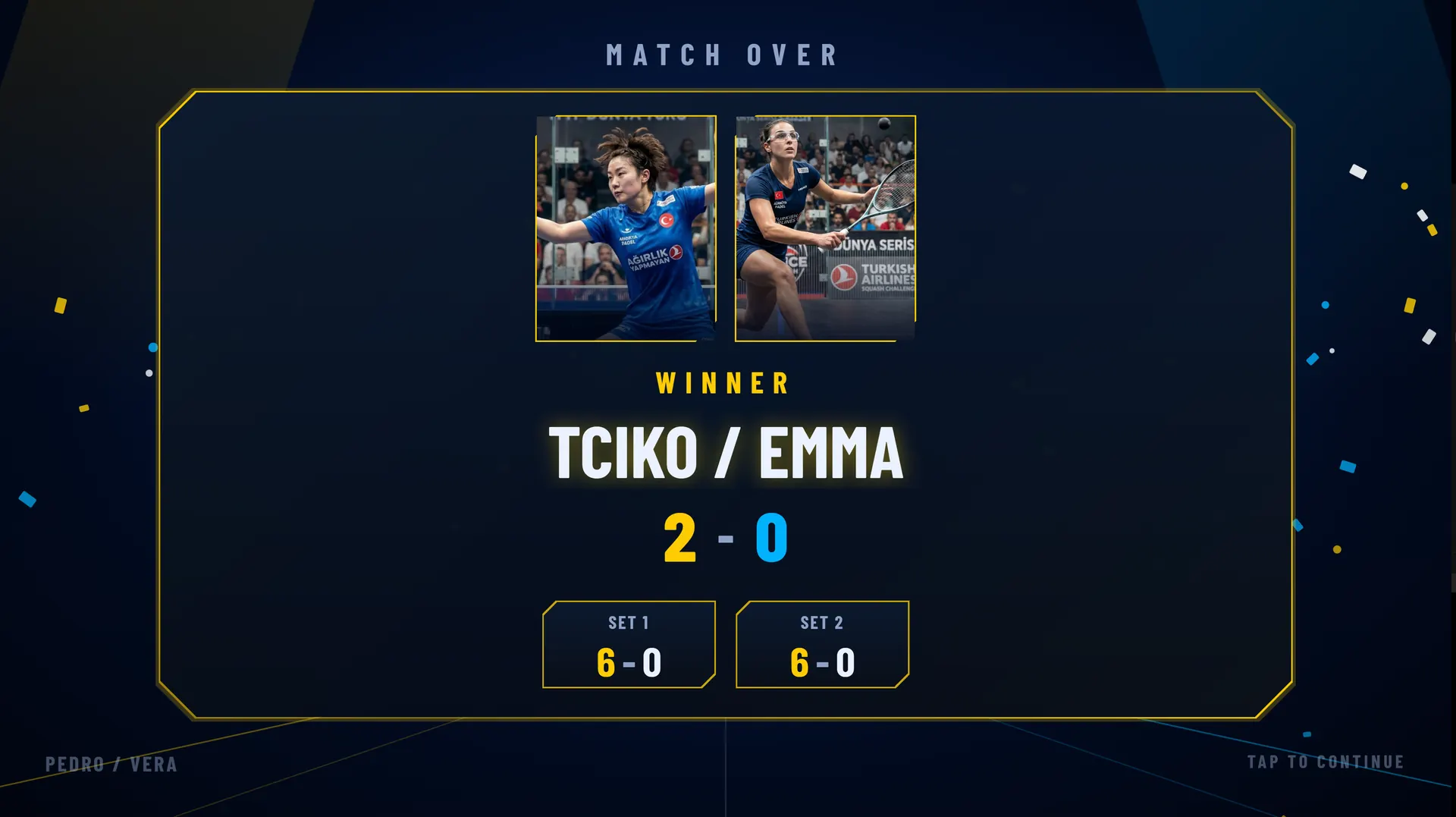
The sponsor strip under the score is visible during the whole match, and while a court is empty the TV can rotate full-screen sponsor ads together with the join QR code. For a new padbol court, that sponsor space can help cover the cost of the screen. When a match ends, a winner screen shows the result before the court resets for the next group.
Live scores on every phone
Spectators don't have to stand at the glass to follow a match. The QR code on the screen opens the live score in a mobile browser, with no app to download, so friends, families and players waiting for the next slot can follow the game from the café or from another court.
Tournaments and multi-court events
For padbol leagues and tournaments, tournament mode runs round-robin or knockout brackets across several courts from one dashboard. Each court TV shows its own live match, and the Court Status Board shows at a glance which courts are empty, occupied or reserved.
One system for padbol, padel and other sports
Many venues that build a padbol court already run padel, or sit next to tennis and pickleball courts. Multi Score Screen supports eight sports on one platform: tennis, padel, badminton, squash, table tennis, volleyball, pickleball and padbol. Each court gets its own sport, staff learn one interface, and the club manages every court from a single login.
If your venue runs both, see how the two compare in padel scoreboard vs padbol scoreboard, and read our padel scoreboard guide or the multi-sport scoreboard guide for the bigger picture.
Plans for padbol courts
All plans run on the TV a court already owns. Starter ($44/month or $528/year) covers one court and one sport, a good fit for a single padbol court. Pro ($134/month or $1,608/year) covers up to five courts with all eight sports. Elite ($224/month or $2,688/year) covers up to ten courts with white-label branding and dedicated onboarding. Unlimited is a lifetime license at $1,299 per court, with optical sensors included and software updates not included. Compare every plan on the pricing page.
Frequently asked questions
What is a padbol scoreboard?
A padbol scoreboard is a screen at the court that shows the live score of a padbol match: sets, games, the current point and who is serving. Multi Score Screen turns the court's existing TV into a padbol scoreboard that is controlled from a phone.
Do I need special hardware for a padbol scoreboard?
No. Multi Score Screen runs on the TV or display a court already has. It needs an internet connection and a streaming app or HDMI input, and the score is entered from a phone.
Can players keep the score themselves?
Yes. Players scan the QR code on the court TV, enter the PIN and join the match from their own phones. For official matches, a referee or staff member can keep the score in referee mode instead.
Can the same screen be used for padel?
Yes. The same account supports padel, padbol and six other sports, and each court is set to its own sport. A venue with padel and padbol courts runs both from one login.
Can spectators follow a padbol match on their phones?
Yes. The QR code on the screen opens the live score in a mobile browser, with no app to install.
Want to see it on your own court? Request a demo and we will run a live padbol match on the TV you already have, or go back to the Multi Score Screen home page to see every sport.
Explore the Multi Score Screen digital scoreboard for padel, tennis, pickleball and 5 more sports →