Tennis Tournament Scoreboard: Running Club Championships Court by Court
By the Multi Score Screen team8 min read
Main guide: Tennis scoreboard guide
In this guide
A tennis tournament scoreboard puts the live score of every match on the court TV, while one dashboard runs the draw across all courts. For a club championship, a junior event or a weekly league night, that means players always know whether it is 5-4 or 4-5 in the second set, the desk sees which courts are free, and parents on the terrace follow the match on their phones. With Multi Score Screen the court TVs you already own become the scoreboards, and the score is entered from a phone.
What a tennis event asks of a scoreboard
Tennis tournaments are long. A single round of a club championship can run for three hours, matches finish at very different times, and the next match on a court cannot start until the previous one is over. The scoreboard therefore has two jobs: show the right score on each court, and help the organizer see the whole event at once.
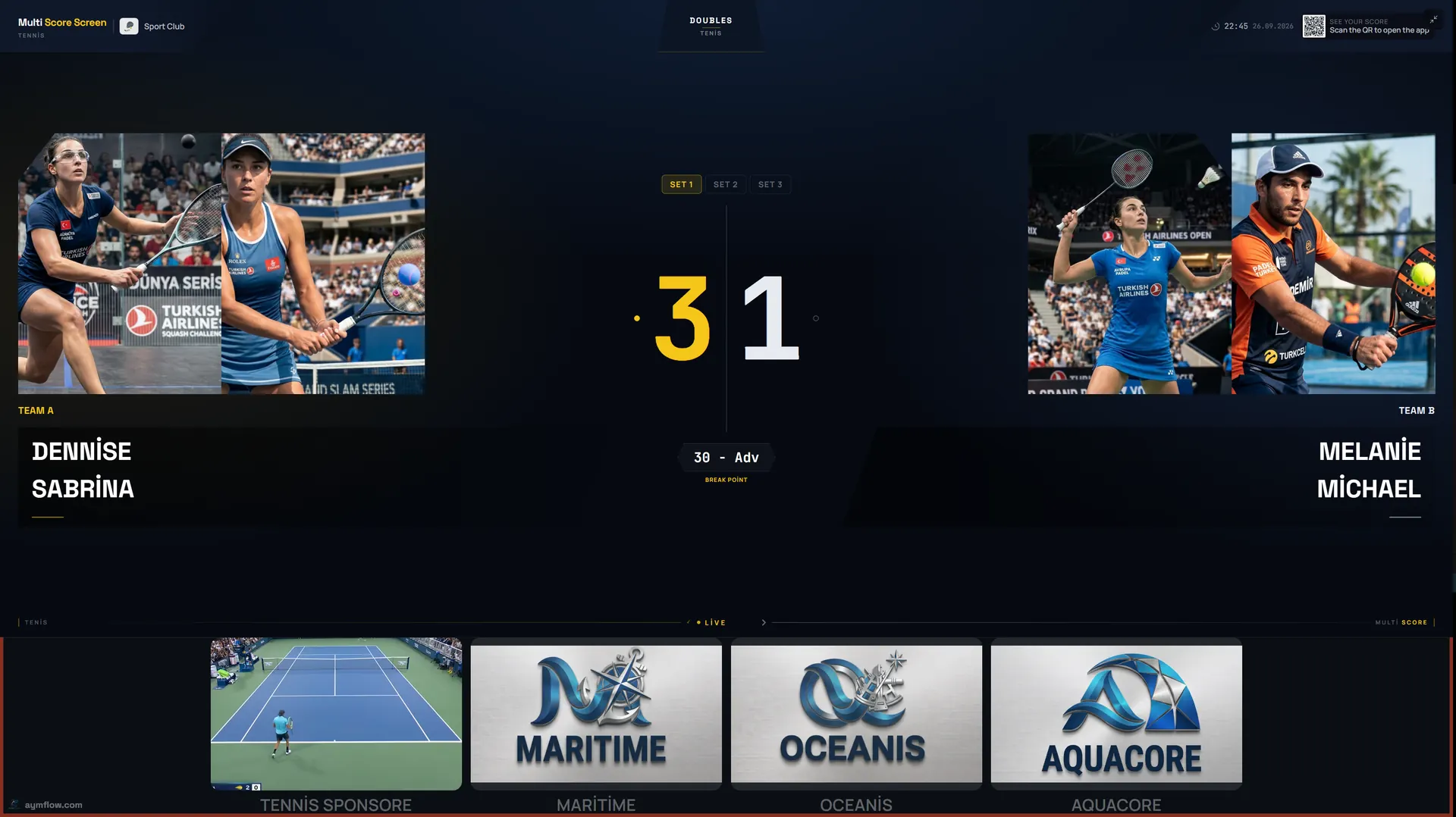
On court, the screen shows the sets already played, the games in the current set, the point score and the server. Off court, the organizer needs to know which matches are still running, which courts are about to come free and which results are in. Paper draw sheets on a noticeboard do the second job badly, and nobody reads a flip card on the net post from the clubhouse.
Choosing the format before the first ball
Most club events use one of two formats, and the choice decides how you plan courts:
| Format | How it works | Good for | What to plan |
|---|---|---|---|
| Round robin | Every player or pair in a group plays every other | Leagues, junior days, social doubles | Many short matches; fixed court rotation |
| Knockout | Losers are out, winners move on | Club championships, finals day | Uneven finish times; a showcase court for later rounds |
| Groups then knockout | Round-robin groups, then a bracket | Larger events with a guaranteed number of matches | Clear cut-off time between stages |
Decide the match length at the same time. Full best-of-three sets is the standard, but many club doubles events replace the third set with a match tiebreak to ten so that the schedule holds. The scoreboard follows full set and tiebreak scoring. If your event uses a match tiebreak instead of a third set, or shortened formats such as no-ad games, check the format with us when you request a demo so you can see the exact format scored before the day.
Setting up the courts on the dashboard
The setup is the same whether you run four courts or twelve:
- Put every event court in tournament mode and keep tennis as the sport.
- Create the draw on the dashboard as round robin or knockout, with player or pair names.
- Assign matches to courts. The Court Status Board shows which courts are empty, occupied or reserved.
- Open the scoreboard on each court TV and check that the join QR code and PIN are visible.
- Play a test point on every court before the first match is called.
Running the whole event from one dashboard is the main difference from a court-by-court setup. The desk does not need to walk the site to see where matches stand.
Who keeps score during the event
Tennis gives you a choice that padel and pickleball rarely do: in early rounds players are used to calling their own score, while later rounds often have a chair umpire or a court supervisor.
- Early rounds: one player scans the QR code on the court TV, enters the PIN and taps the winner of each point. The phone controls only that court's match.
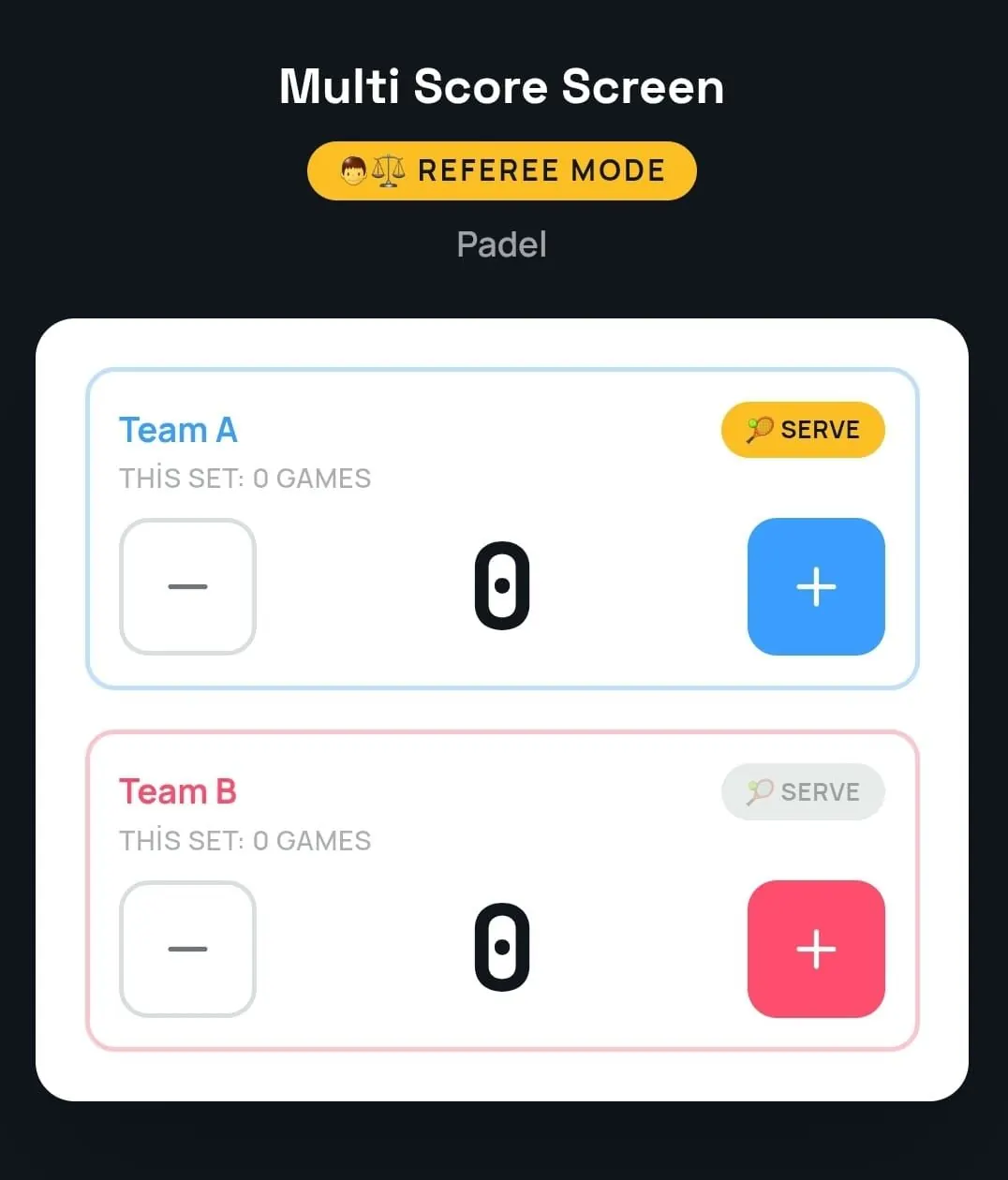
- Semi-finals and finals: a chair umpire, coach or staff member uses referee mode, a phone console with plus and minus buttons for each side, the serve indicator and the games of the current set. The TV follows the official score.
- Junior events: a parent volunteer per court often works better than asking young players to score and play at the same time.
Mistakes happen when someone taps the wrong side after a long rally. Point and game undo correct them without restarting the match. The phone side of scoring is explained step by step in the tennis scoreboard app guide.
Tiebreaks, changeovers and the schedule
Tiebreaks are where tournament matches go wrong without a screen. At six games all, points are counted 1, 2, 3 and the first to seven with a two-point lead takes the set. The serve changes after the first point and then every two points, and players change ends every six points. A match tiebreak, where an event uses one, follows the same pattern but goes to ten.
Because the scoreboard keeps that count, players can trust the screen at a changeover instead of reconstructing the score from memory. For the organizer, the live scores have another use: a match at 5-5 in the third set is going to take a while, and a match at 6-1, 4-1 is about to finish. That is the information you need to call the next match to the right court.
Spectators, parents and the desk
Tennis events are watched from a distance: the clubhouse terrace, the next court, the car park or home. Each court TV shows a QR code that opens a live link to the match in any mobile browser, without installing an app. Parents follow a junior match without standing at the fence, and the desk sees results as they happen.
When a match ends, a winner screen shows the final set scores on the court TV before the court resets for the next match. Player names and photos used for a match are temporary and are removed when the match ends.
Sponsors on event day
A tournament is often the moment a local business is most willing to sponsor. Every court screen keeps a sponsor strip under the live score, and full-screen sponsor images or videos can play between matches. Plan which sponsor appears on the finals court and how long each ad runs; the tennis scoreboard sponsorship guide covers packages and pricing logic without inventing audience numbers.
A sample finals day
Picture a club with six courts running its annual championship. Morning rounds of the men's and women's singles are spread across courts one to five, scored by the players. Court six, nearest the clubhouse, is kept for later rounds and switched to the Gold theme for the finals. In the afternoon the desk watches the Court Status Board, sees which semi-final is in a third-set tiebreak and holds the doubles final until that court is free. A volunteer referee takes the finals in referee mode, and the winner screen appears on the court TV as the last point is played. Placing screens for outdoor courts is covered in outdoor tennis court scoreboard.
Plans for tournament courts
All plans run on the TV each court already has. Starter is $44/month for one court and one sport, Pro is $134/month for up to five courts and all eight sports, Elite is $224/month for up to ten courts with white-label branding, and Unlimited is $1,299 per court one-time, with no term limit and optical sensors included. A club running a multi-court tournament usually needs Pro or above. Compare them on the pricing page.
Frequently asked questions
Can one dashboard run a tennis tournament on several courts?
Yes. In tournament mode you build a round-robin or knockout draw and run it across multiple courts from one dashboard, with the Court Status Board showing which courts are free.
Does the scoreboard handle tiebreaks at 6-6?
Yes. It follows full set and tiebreak scoring, including deuce and advantage. If your event replaces the third set with a match tiebreak, confirm that format with us before the day.
Who should keep score in a club championship?
Players can score early rounds through the QR code and PIN. For semi-finals and finals, a chair umpire or staff member using referee mode keeps the official score.
Can parents follow a junior match from home?
Yes. The QR code on the court TV opens a live link to the match in any mobile browser, with nothing to install.
What happens to player names after the event?
Names and photos used for a match are temporary and are removed when the match ends.
Planning your next club championship? Request a demo and we will set up a sample draw on your court TVs.
Explore the Multi Score Screen digital scoreboard for padel, tennis, pickleball and 5 more sports →