Tennis Scoreboard Themes: Matching the Screen to Each Court
By the Multi Score Screen team6 min read
Main guide: Tennis scoreboard guide
In this guide
Tennis scoreboard themes change how the score looks on the court TV without changing the score itself. Multi Score Screen has six: Platinum, Classic, Gold, Broadcast, Neon and Pro. Each court can use its own theme, so the finals court can look like television while the coaching courts stay plain and easy to read. Every theme shows the same tennis information: sets, games, the point score, the server and the players' names and photos, with the sponsor strip below.
The six themes for tennis
| Theme | Look | Best tennis use |
|---|---|---|
| Platinum | Clean metallic figures on a dark background | Indoor clubs with a premium feel |
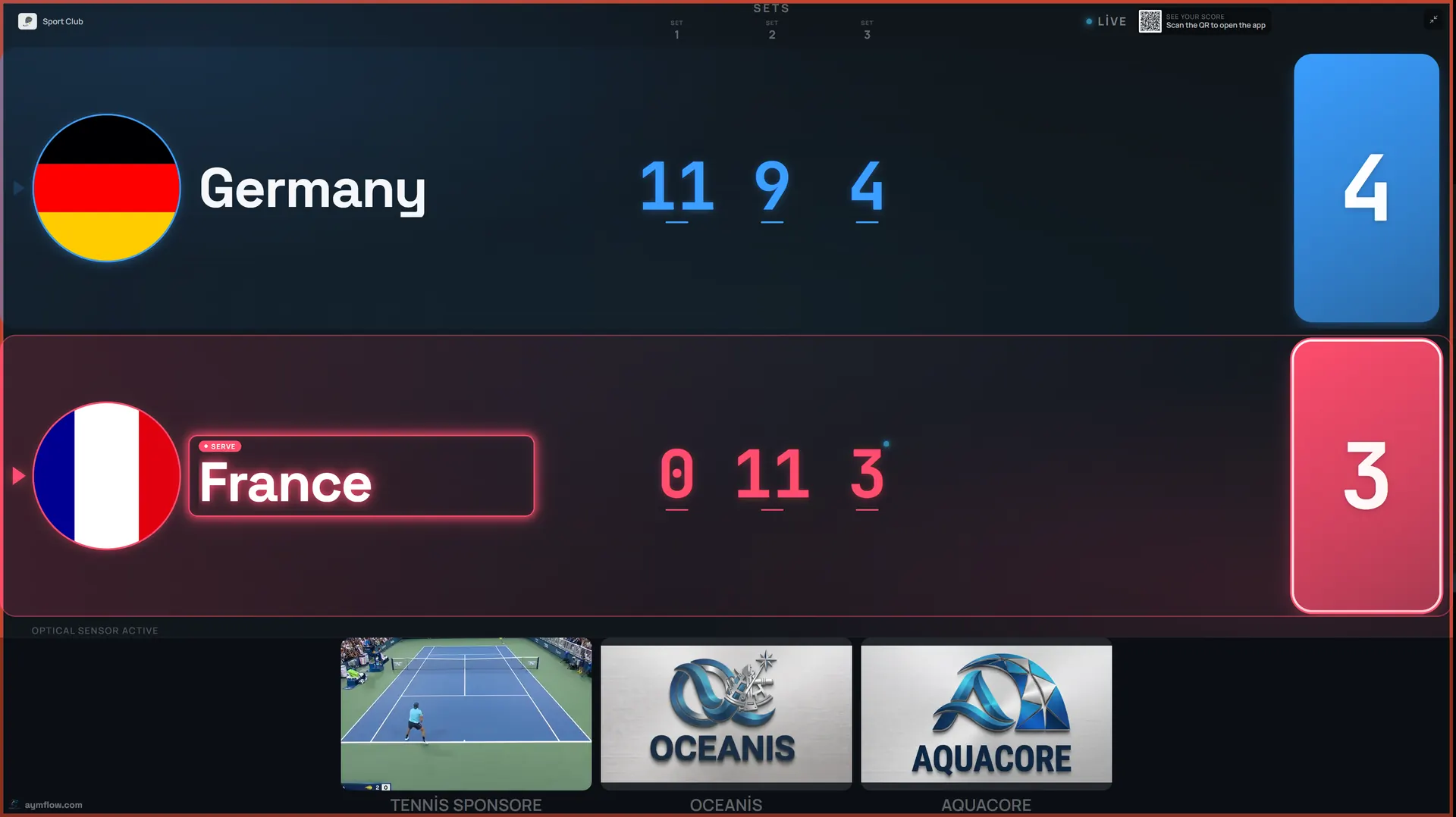
| Classic | Bold team rows and the game score in large color blocks | Busy match courts; reading from the far baseline |
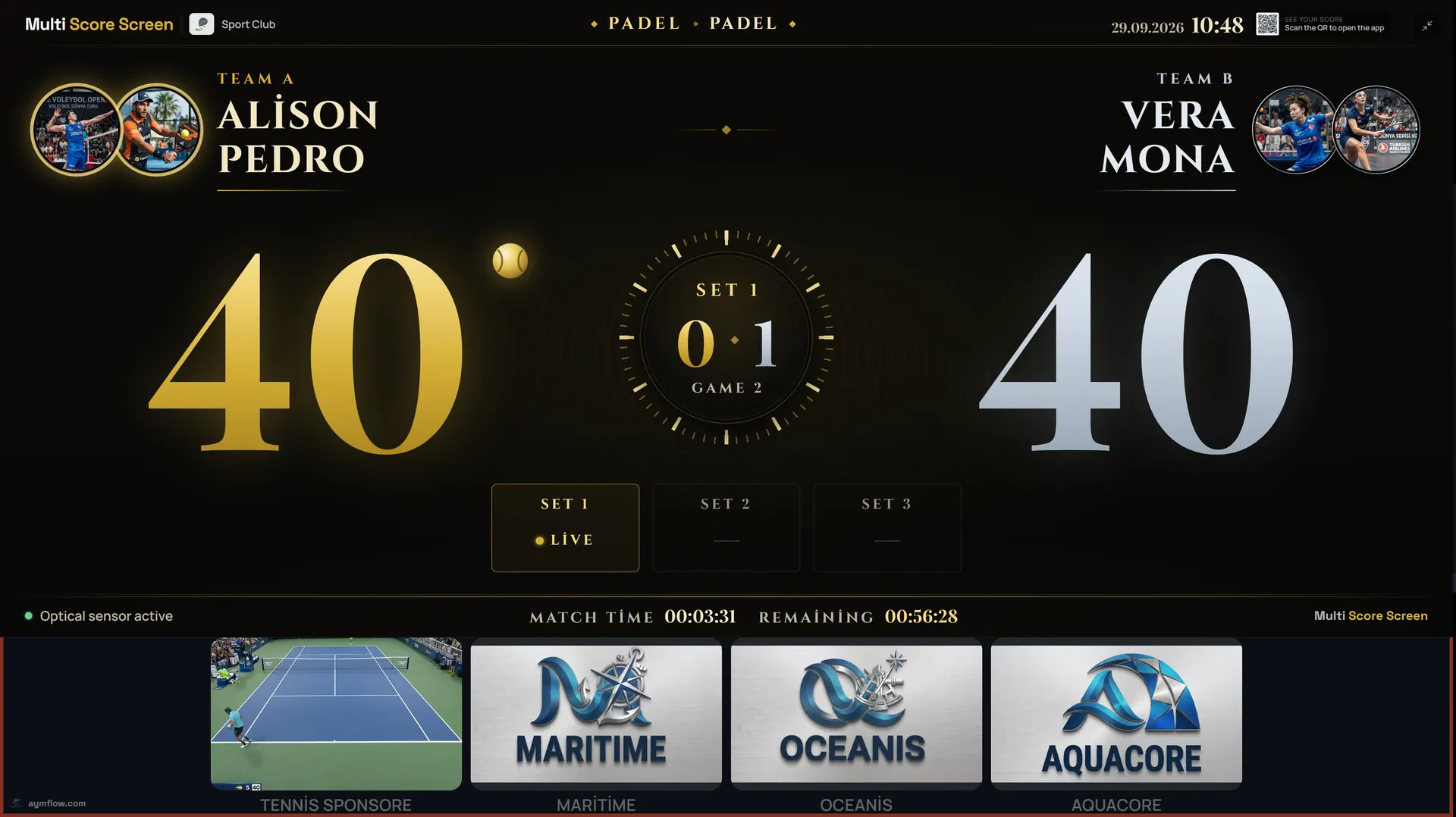
| Gold | Gold and silver figures with a match clock | Championship finals, the showcase court |
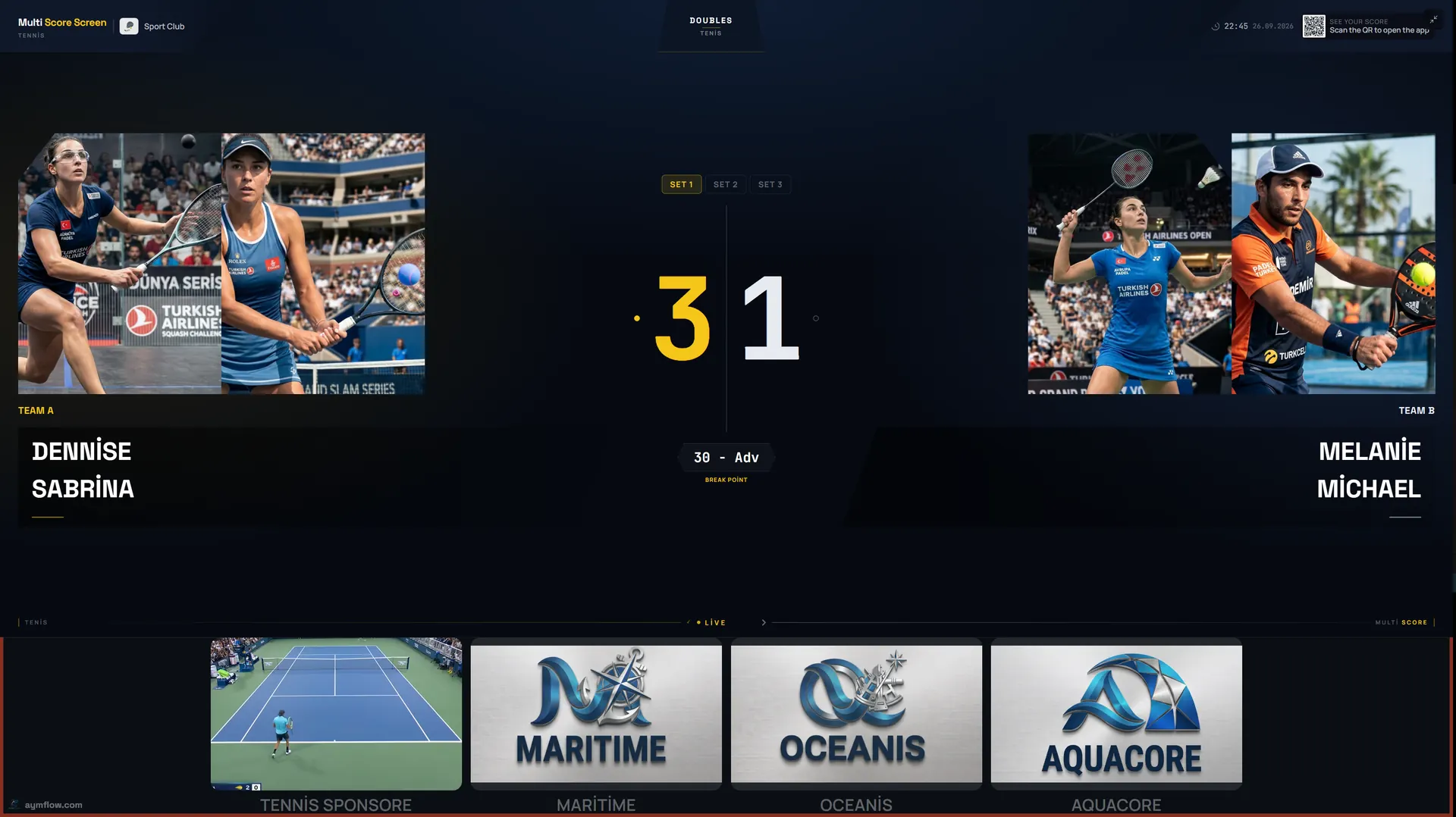
| Broadcast | TV-style layout with big player photos at each side | Courts with spectators, filmed or streamed matches |
| Neon | Glowing arcs with set boxes and player photos | Evening sessions, darker indoor halls |
| Pro | Giant game-score figures in the centre | Players who only want the point score |
All six show the same scoring layers. A tiebreak, a deuce game or the serve indicator works exactly the same in each, so players never need to learn anything new when the theme changes.
Why tennis needs a theme choice
Tennis courts are long and used in very different ways during the day. A theme that looks great on a finals court with spectators five metres away may be too detailed for a player 25 metres away on an outdoor court in the sun. Matching the theme to the court is the cheapest way to improve readability.
Classic: the far-baseline theme
Classic gives each player or pair a thick row and puts the game score in large color blocks. It is the theme to use where the farthest player is a long way from the screen, typically outdoor courts with the screen near the net. Players arriving for a booking understand it immediately.
Broadcast: when people are watching
Broadcast borrows the layout of televised tennis: big player photos at each side and the set score in the middle. It is the theme in the screenshot at the top of this page. Use it on the court nearest the clubhouse terrace, for interclub matches with spectators, or when a match is filmed for social media. The score display is clean enough to use as an on-screen overlay. Remember that names and photos used for a match are temporary and are removed when it ends.
Gold: finals and championships
Gold adds a match clock with gold and silver figures, turning the screen into an occasion. Switch the showcase court to Gold on finals day, then back to Classic for normal bookings. The tennis tournament scoreboard guide describes a full finals day.
Pro: the point score above all
Pro puts giant game-score figures in the centre with photos at the sides and nothing else in the way. Competitive players who just want to see 30-40 from anywhere on court often prefer it.
Platinum and Neon
Platinum suits indoor clubs whose interior already makes a statement: slim metallic figures on dark, calm rather than loud. Check that the figures are large enough for your screen size before using it on a long court. Neon frames the score with glowing yellow and blue arcs. It fits evening sessions under floodlights and darker indoor halls, and it is a natural choice for social events.
The winner screen
When a match ends, a winner screen shows the winners' names and set scores with confetti on the TV, then the court resets and the join QR code returns for the next booking. It is a small moment that players photograph, and good for the club's social media.
Team colors and your own brand
Themes set the layout. On top of that:
- Pro, Elite and Unlimited let you set custom team names and colors, useful for interclub leagues and team events.
- Elite and Unlimited add white-label branding, so the screens show your club's identity.
- Every plan keeps the sponsor strip under the score and the sponsor images or videos between matches; see tennis scoreboard sponsorship.
Choosing a theme court by court
Ask three questions for each court:
- How far is the farthest player, and how bright is it? Far and sunny: Classic or Pro. Evening or dark: Neon.
- What is the court used for? Rentals and coaching favor clarity; finals and events favor Gold or Broadcast.
- What does the club look like? A modern indoor club suits Platinum.
Then test. Play a few points with two candidates and ask players which they read faster. Placement and glare on open courts are covered in outdoor tennis court scoreboard.
Plans
All six themes work on the TV each court already has. Starter is $44/month for one court and one sport, Pro is $134/month for up to five courts, Elite is $224/month for up to ten courts with white-label branding, and Unlimited is $1,299 per court one-time with no term limit. Details are on the pricing page.
Frequently asked questions
How many themes does the tennis scoreboard have?
Six: Platinum, Classic, Gold, Broadcast, Neon and Pro, plus a winner screen at the end of each match.
Can each tennis court use a different theme?
Yes. Each court TV can use its own theme while the live score and sponsor strip stay the same.
Which theme is easiest to read from the far baseline?
Classic and Pro, which keep the score in very large figures.
Can we use our club colors?
Custom team names and colors are available on Pro, Elite and Unlimited. Elite and Unlimited also include white-label branding.
Do sponsors appear in every theme?
Yes. The sponsor strip sits under the score in every theme.
Want to compare themes on your own court TV? Request a demo and we will switch between them with you.
Explore the Multi Score Screen digital scoreboard for padel, tennis, pickleball and 5 more sports →