Squash Scoreboard App: PAR-11 Scoring From Your Phone
By the Multi Score Screen team6 min read
Main guide: Squash scoreboard guide
In this guide
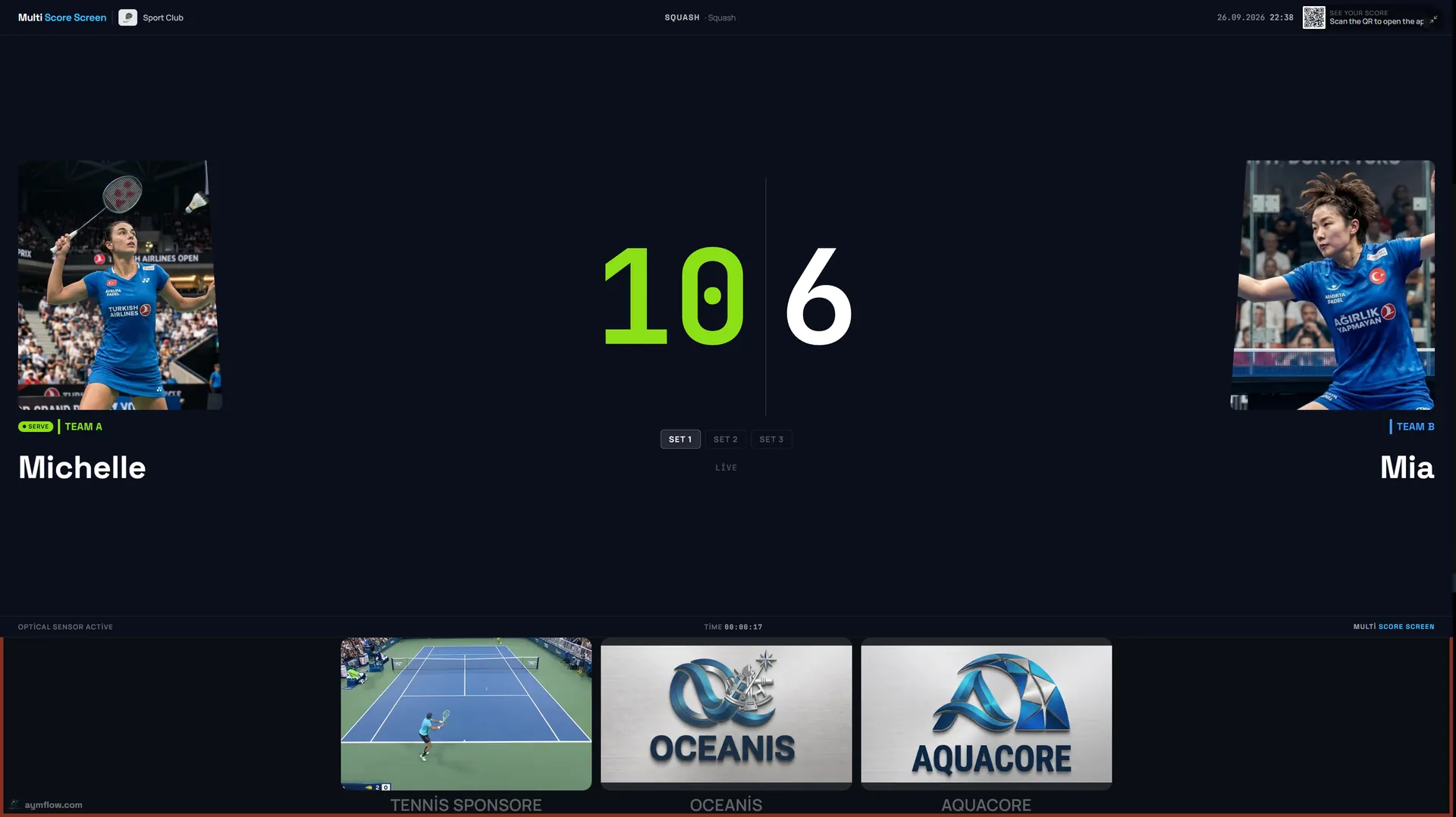
With a squash scoreboard app, the person keeping score, whether a marker in the gallery, a coach behind the glass or a player between rallies, enters each rally on a phone, and the TV outside the court displays it for everyone. Multi Score Screen needs no download: point the camera at the TV's QR code, type the PIN printed beside it, and that phone now controls the match on that court. One tap names the rally winner, and PAR-11 does the rest.
Why squash scoring suits a phone
Squash is played inside a closed box, and the players cannot easily see a scoreboard while they move. Traditionally the marker calls the score aloud from the gallery, and players remember it. That works until someone mishears, or a long rally ends and nobody is sure whether it was 7-8 or 8-7. A phone needs one tap per rally: the player who won it. The TV outside the court shows the result to players between rallies and to everyone in the corridor.
Starting a match
- Scan the QR code on the TV with the phone camera. The scoring page opens in the browser, with no app store and no account.
- Type the PIN from the same screen. It ties your phone to this one court, so the next court's match is never touched.
- Check the details: player names and who serves first.
- Tap the winner of the first rally. The TV updates straight away.
After the last rally the court resets itself and shows a different code for whoever plays next.
What each tap does
| On court | What you tap | What the TV shows |
|---|---|---|
| A rally is won | The player who won it | One point to that player; the serve moves to them |
| A let is called | Nothing | The score stays; the rally is replayed |
| The score reaches 10-10 | The winner of each rally | The game continues until one player leads by two |
| A game is won | The winner of the last rally | Games won updated; the next game starts at 0-0 |
| Wrong tap | Undo | The previous score and server |
Because the server is always the winner of the previous rally, the serve indicator on the TV shows who serves next, something players otherwise work out from memory.
Who scores in each session
- Friendly games: one player keeps the phone by the door and taps between rallies, or a friend scores from the gallery.
- Box league matches: the player who is not on court in the next match marks, as many clubs already do.
- Coaching: the coach scores condition games and pressure drills from outside the glass.
- Tournaments and finals: a marker in referee mode, with a referee ruling on lets and strokes.
Never take the phone onto the court. Leave it outside the door or with the marker in the gallery.
Referee mode
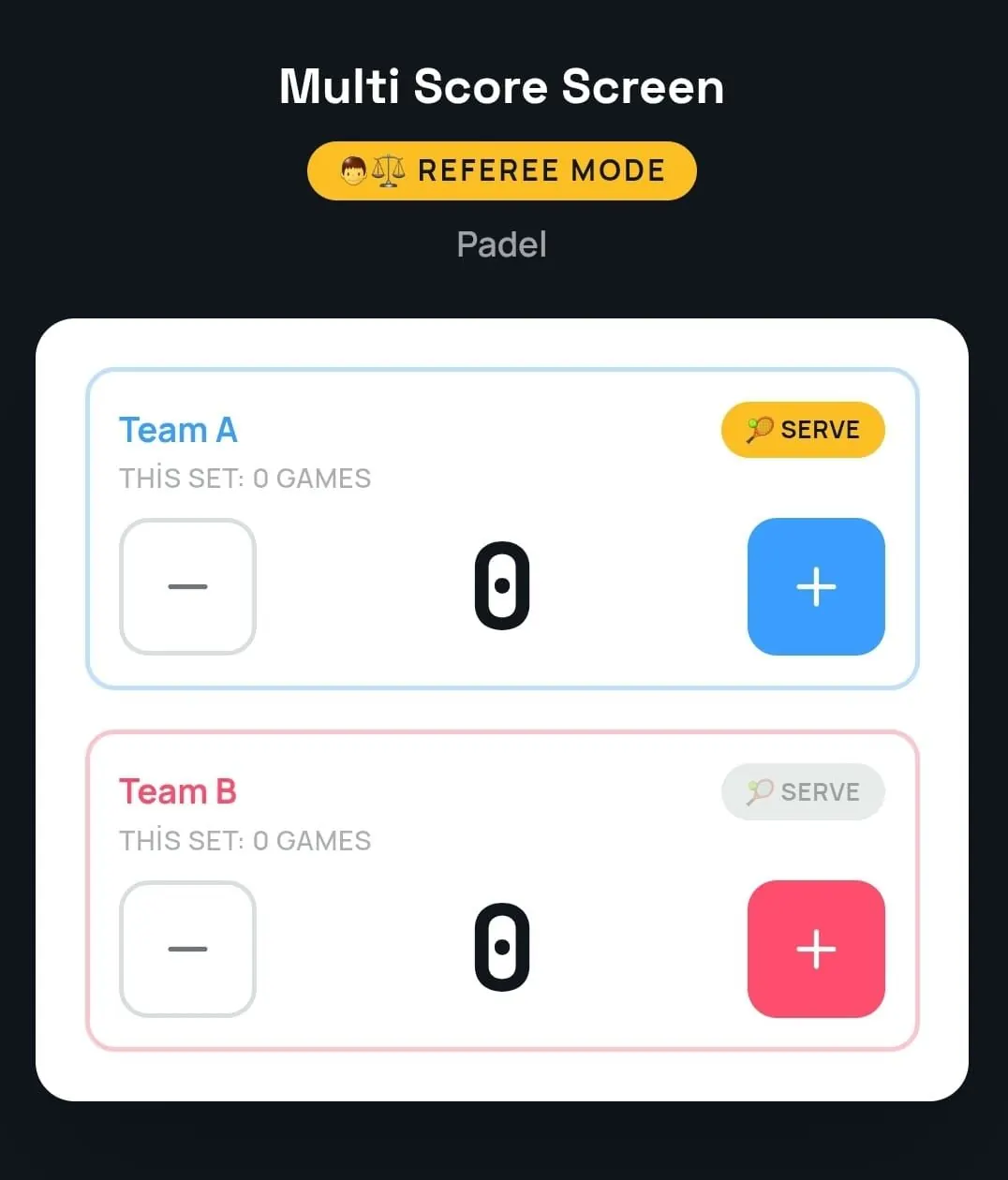
For matches with a marker, referee mode replaces the single-tap screen with a console: a plus and a minus for each player, and a control for the serve. Whatever the marker enters is what the TV displays, so the screen carries the official score, keyed in by hand. Optical sensors that detect points automatically are included only with Unlimited; without them, the official score is kept in referee mode. Decisions on lets and strokes remain with the referee; the marker records the result. For a full event, see the squash tournament scoreboard.
Breaks between games
Squash has a short interval between games. That is a good moment for the marker to check the TV and confirm the score and games with the players before the next game starts. Because the score is on screen, nobody has to rebuild it from memory.
Fixing mistakes
In a fast rally, a ball that clips the tin or goes out can leave a moment of doubt. If a point went to the wrong player, use undo: point or game return to the previous score and server without restarting the match.
A note for coaches
In coaching, a visible score is the easiest way to train under pressure. Start a game at 8-8 or set up 10-10 and score it from the phone, and players compete with the screen in mind. When the drill ends, close the match and the court is clean for the next group. Setting the court to lesson mode on the dashboard also keeps coaching hours separate from rentals in the statistics.
Connection at the club
Courts tend to sit at the far end of the building behind solid walls, so a phone may lose signal for a few seconds. Keep tapping: the rallies are held and sent the moment the link returns. If a phone or TV will not connect, the squash scoreboard Wi-Fi guide explains how to cover a row of courts.
Following without scoring
Anyone who scans the same QR code without the PIN just watches: league team-mates in the bar, a parent upstairs in the gallery, the tournament desk at the end of the corridor. Player names and photos used for a match are temporary and are removed when it ends.
Juniors
With younger players, it often works best if a parent or the coach holds the phone so the children can focus on playing. If the scorer changes, do it between games, not in the middle of one.
What you need
On the scoring side, a phone with a current browser is enough. On the court side, each screen must reach the internet, either through a streaming app or a player plugged into HDMI. Pricing is per court. Starter costs $44 a month for one court and one sport; Pro costs $134 a month for up to five courts and opens all eight sports; Elite costs $224 a month for up to ten; Unlimited is a one-time $1,299 per court with no term limit and optical sensors. See the pricing page. The general scoreboard remote control app guide compares phones, tablets and remotes.
Frequently asked questions
Do I need to download an app to score squash?
No. Scan the QR code on the TV and enter the PIN; the scoring page opens in the browser.
Does it know the 10-10 rule?
Yes. From 10-10 a player needs a two-point lead, and the scoreboard applies it automatically.
What do I tap when a let is called?
Nothing. A let means the rally is replayed, so the score does not change.
Does the TV show who serves next?
Yes. The serve indicator moves to the winner of the last rally.
What if someone taps the wrong player?
Tap undo. The previous score and server come back without restarting.
Want to try it on your court? Request a demo and score a rally from your own phone during the call.
Explore the Multi Score Screen digital scoreboard for padel, tennis, pickleball and 5 more sports →