Buying a Pickleball Scoreboard: A Checklist for Clubs and Venues
By the Multi Score Screen team6 min read
Main guide: Pickleball scoreboard guide
In this guide
Before buying a pickleball scoreboard, check that it scores pickleball properly (side-out scoring, two servers, the three-number call and rally scoring), that each court can have its own clearly named screen, that groups can start a game without staff in open play, that it runs events across many courts, and how it is licensed. Hardware is less of a question than it seems: Multi Score Screen runs on the TV or display a court already has, so the real decisions are software, screen placement and the plan.
Start with how your courts are used
Pickleball venues come in very different shapes, and the right setup depends on yours:
- Dedicated pickleball clubs with banks of indoor or outdoor courts and busy open play.
- Tennis clubs that have lined some tennis courts for pickleball.
- Community centres and gyms where pickleball shares a hall with other sports.
- Event organizers who need many courts scored for one or two days.
Write down for each court: how many hours a week it is used, for what (open play, bookings, lessons, leagues, events), and whether spectators gather there.
The buying checklist
| Question | Why it matters for pickleball | What Multi Score Screen does |
|---|---|---|
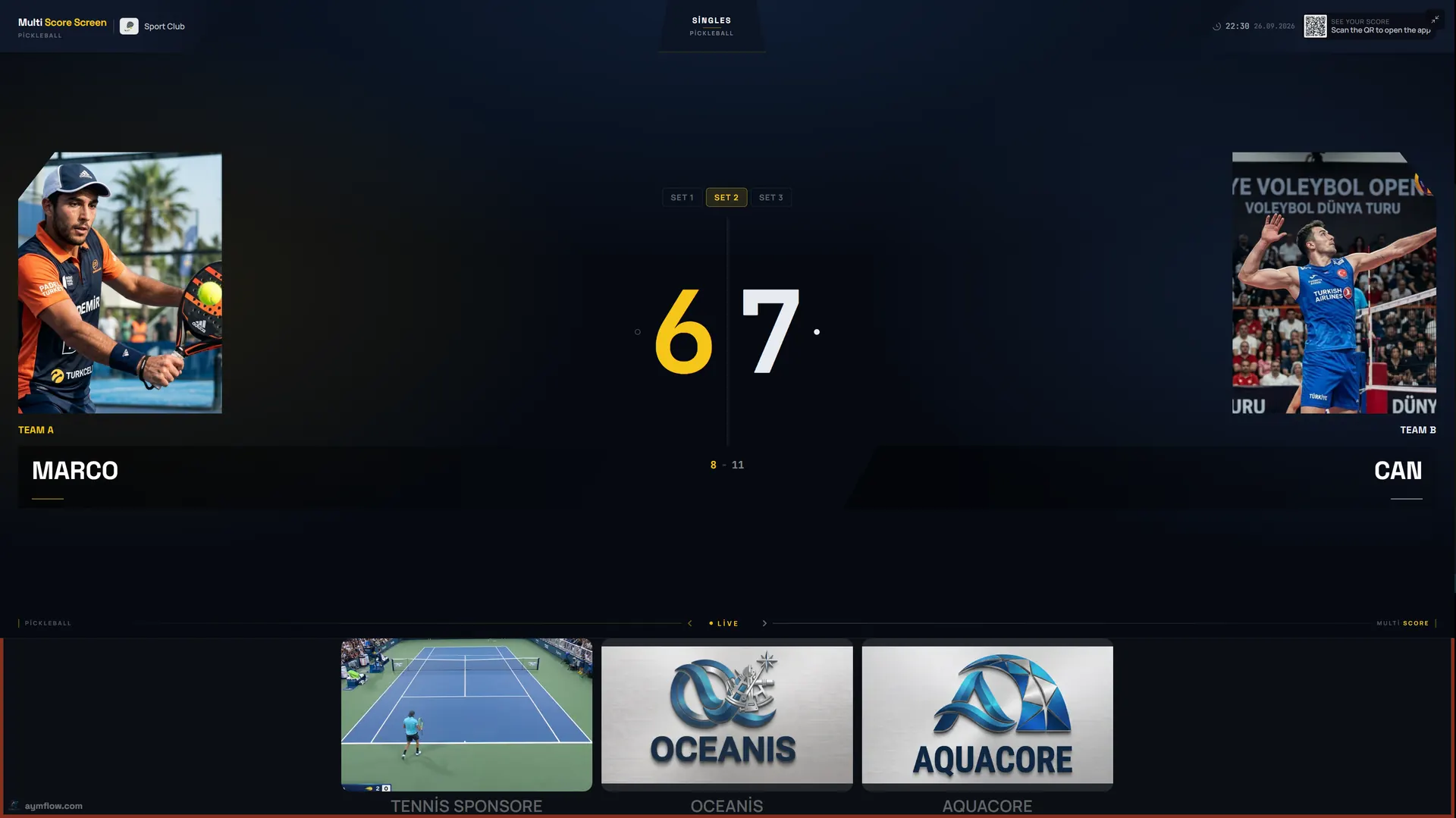
| Does it handle side-out scoring? | Points only for the serving side | Side-out scoring to 11 with a two-point margin |
| Does it show the server number? | "First or second server?" causes most disputes | Serving side and server number on screen |
| Does it support rally scoring? | Many leagues use it | Rally scoring formats supported |
| Can players start their own game? | Open play runs without staff | Join QR code and PIN on each TV, refreshed after every game |
| Can mistakes be fixed? | Long dink rallies lead to mis-taps | Point and game undo |
| What screen is needed? | Many small courts side by side | Any TV or display with internet and a streaming app or HDMI |
| Can it run events? | Round robins produce many games | Round robin or knockout across courts from one dashboard |
| Can waiting players follow? | Everyone wants to know when a court frees up | Live link via QR in any mobile browser |
| Sponsors? | Screens can pay for themselves | Strip under the score; full-screen ads while a court is empty |
| Other sports? | Courts are often shared | Eight sports on one account |
Screen questions
- One screen per court? Plan for it. Shared screens cause wrong-court scans on banks of courts.
- Outdoor or indoor? Open courts need outdoor-rated displays or ventilated enclosures; see outdoor pickleball court scoreboard.
- Size? Pickleball courts are short, so a mid-size TV is usually readable; brightness matters more outdoors.
- Internet at each screen? Banks of outdoor courts often need one outdoor access point; see the pickleball scoreboard Wi-Fi guide.
Scoring and format questions
Write down the formats you actually play: side-out games to 11, rally scoring in a league, best of three in events. Side-out scoring to 11 and rally scoring are supported. If you play games to 15 or 21, or special medal-round formats, test them in a demo before an event depends on them.
Decide who scores. In open play the players do. For medal matches, referee mode gives a referee a phone console with plus and minus buttons and the serve indicator. Optical sensors that detect points automatically are included only with the Unlimited plan.
Running the venue
- Court modes: rental for bookings and open play, lesson for clinics, tournament for events.
- Bookings: the Court Status Board shows which courts are empty, occupied or reserved; the Reservation Calendar lets the desk add, edit or cancel bookings.
- Statistics: reservation counts and occupancy by sport, with CSV export.
- Branding: custom team names and colors on Pro, Elite and Unlimited; white-label branding on Elite and Unlimited.
- Sponsors: included on every plan; see pickleball scoreboard sponsorship.
Matching the plan to the venue
| Plan | Price | Courts | Sports | Notable |
|---|---|---|---|---|
| Starter | $44/month ($528/year) | 1 | 1 | A single showcase court |
| Pro | $134/month ($1,608/year) | Up to 5 | All 8 | Custom team names and colors |
| Elite | $224/month ($2,688/year) | Up to 10 | All 8 | White-label branding, dedicated onboarding, priority support with SLA |
| Unlimited | $1,299 per court, one-time | Per court | All 8 | No term limit, optical sensors included, software updates not included |
A tennis club with one lined court may start with Starter. A venue with a bank of six to ten courts usually fits Elite. Venues that prefer a one-time purchase per court choose Unlimited. General cost questions are answered in the court scoreboard cost guide, and multi-sport venues should read the multi-sport scoreboard guide.
Red flags
- Scoring that treats every rally as a point when you play side-out.
- No server number on screen.
- Every player must install an app and create an account.
- No undo without restarting.
- One display meant to cover several courts.
Frequently asked questions
Do we need new screens for a pickleball scoreboard?
Not necessarily. Any TV or display with internet and a streaming app or HDMI input works. Open courts need outdoor-rated displays or enclosures.
Which plan suits eight pickleball courts?
Elite covers up to ten courts with all eight sports and white-label branding. Unlimited is licensed per court as a one-time purchase.
Does it handle side-out and rally scoring?
Yes. Both are supported, with the serving side and server number on screen.
Are optical sensors included?
Only with the Unlimited plan. On other plans the score is entered from a phone or in referee mode.
Can the same courts be used for other sports?
Yes. One account scores eight sports, and a court's sport can be changed on the dashboard.
Want to go through this list for your venue? Request a demo and we will do it with you.
Explore the Multi Score Screen digital scoreboard for padel, tennis, pickleball and 5 more sports →