Padel Scoreboard Problems and Fixes: Golden Point, Tiebreaks, PIN and Screen
By the Multi Score Screen team7 min read
Main guide: Padel scoreboard guide
In this guide
Most padel scoreboard problems on court come down to a handful of causes: the match was started with the wrong deuce format, a point went to the wrong pair, the phone is using an old PIN, the court TV lost its connection, or a setting in the dashboard does not match what the club expects. This guide lists the symptoms players and staff actually report on padel courts and the fix for each, so the desk can solve them in a minute instead of restarting a match.
Symptoms at a glance
| What you see | Most likely cause | Fix |
|---|---|---|
| 40-40 decides the game, but players expected advantage (or the opposite) | Match started with the other deuce format | Agree the format before the first point and check the match settings |
| Players disagree with the tiebreak count | Someone lost track during side changes | Trust the screen; correct a wrong point with undo |
| A point went to the wrong pair | Mis-tap in a fast exchange | Point undo; game undo if the game already closed |
| The PIN is not accepted | The PIN changed after the last match | Use the PIN shown on the court TV right now |
| The TV score stops moving | The TV lost its internet connection | Check the TV's connection; brief drops on the phone sync automatically |
| The court shows the wrong sport | Court set to another sport profile | Change the court's sport in the dashboard |
| A sponsor is missing on one court | Content not assigned to that court | Assign the content to the court; approved content joins the rotation |
| Players cannot read the score from the far glass | Placement, glare or theme | Move the screen, reduce reflections, try Classic or Pro |
The deuce format looks wrong
Padel is played with two common deuce rules. With advantage, a pair must win two points in a row from 40-40. With golden point, one deciding point is played and the receiving pair chooses the side. The scoreboard follows the format the match is set to, so if players expected one and the screen shows the other, the match was simply started with the other format.
The fix is a habit, not a setting: agree the format before the first point, and check it in the match settings when you join. Clubs that run both formats often tell players at the desk which format each booking or category uses.
The tiebreak count is disputed
At 6-6 the tiebreak is counted 1, 2, 3, ends change every six points and the serve passes in pairs. Many clubs also replace the third set with a match tiebreak. This is the moment when four players remember four different scores. The scoreboard counts every point and shows the serve indicator, so the screen is the reference. If a point really was entered wrongly, undo it; there is no need to restart the tiebreak.
Points went to the wrong pair
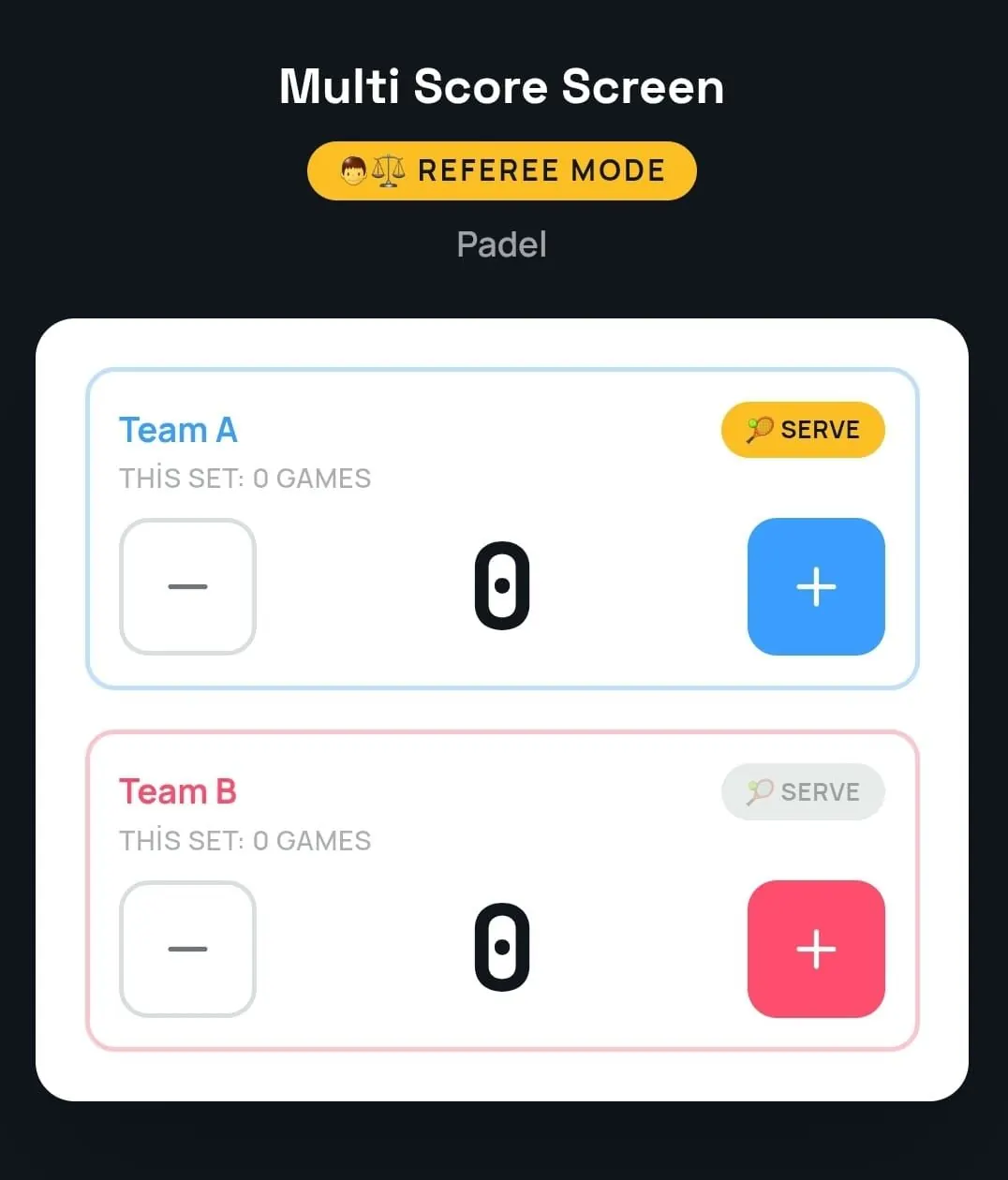
Fast exchanges at the net cause mis-taps, especially when the scorer is also playing. Point undo removes the last point; game undo takes back a game that closed by mistake. Neither restarts the match or loses the rest of the score. If mistakes keep happening on a court with spectators or in finals, switch to referee mode, where a referee or staff member scores with plus and minus buttons for each pair. The padel scoreboard app guide covers who should hold the phone in a doubles match.
The PIN or QR code does not work
The join QR code and PIN on each court TV refresh after every match. If a phone was used for the previous booking, or someone took a photo of the code earlier, that PIN is no longer the current one. Scan the QR code again and enter the PIN shown on the TV at that moment. If the phone cannot open the page at all, it probably has no mobile data or guest Wi-Fi inside the court.
The TV stops updating
If the phone has a weak signal for a moment, scoring keeps working and syncs once the connection is back. If the TV loses its connection, its score stops moving until it reconnects. Check that the TV is still online, that it did not drop off the network after a router restart, and that it is not on a network that asks for a login page. Padel halls are tough on Wi-Fi; our padel scoreboard Wi-Fi guide explains where to put access points.
The court shows the wrong sport
Each court is set to a sport. If a padel court shows another sport's scoreboard, change the court's sport in the dashboard. Note that Starter covers one sport profile, while Pro, Elite and Unlimited unlock all eight sports, so a club that switches courts between padel and padbol or tennis needs one of those plans.
A sponsor is missing
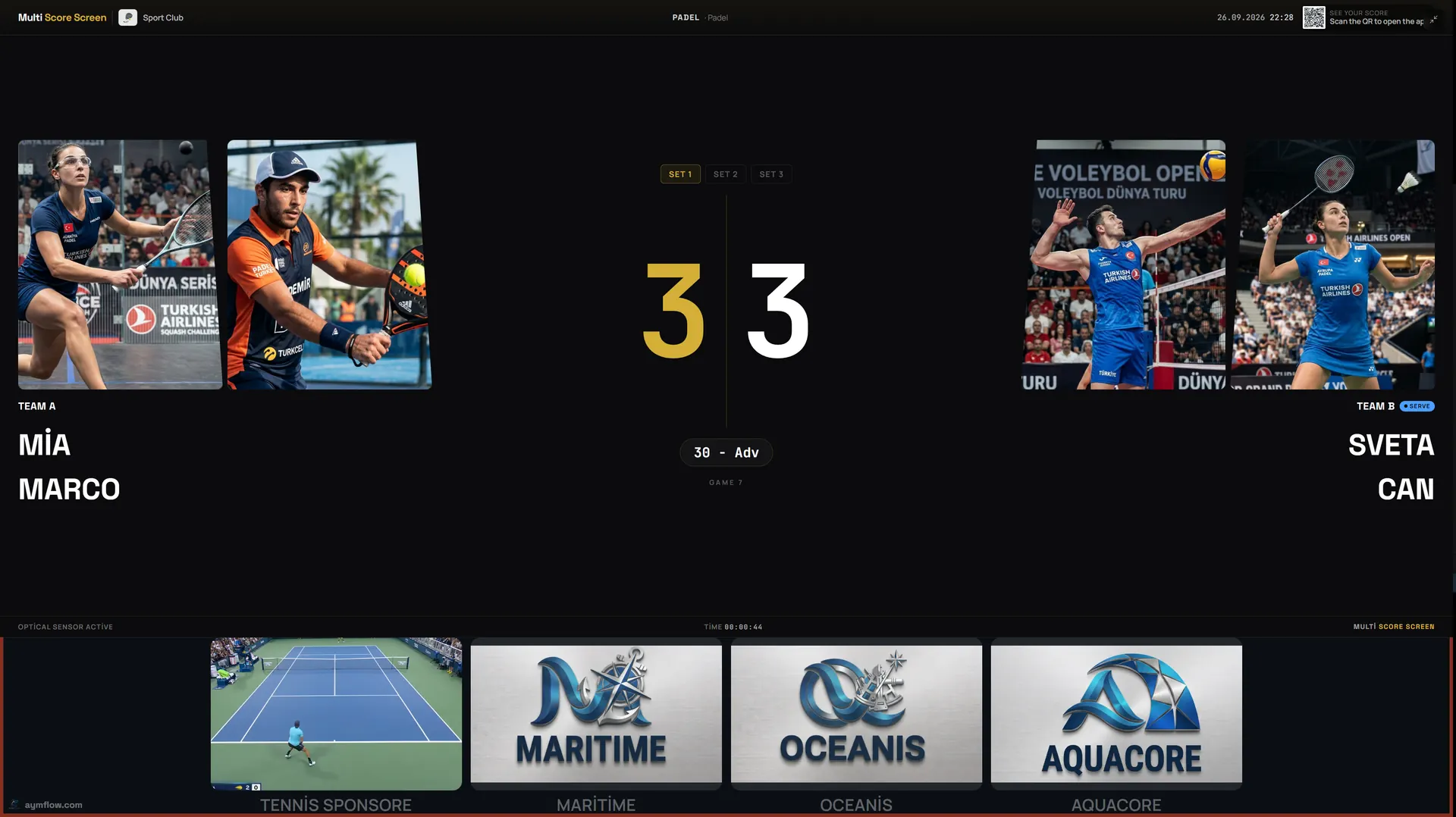
Sponsor images and videos only appear on the courts they are assigned to. Upload the content, choose the courts, and approved content is added to the rotation automatically. The strip beneath the score shows during matches; full-screen content plays between matches, next to the join QR code. See the padel scoreboard sponsorship guide for planning.
The score is hard to read
Usually this is placement or light, not the software. Check the screen from the far corner of the court, look for reflections from ceiling lights or the sky, and try a theme with very large numerals such as Classic or Pro. The outdoor and indoor padel court guide and the padel scoreboard themes guide go into detail.
Player names and photos disappeared
That is intended. Player names and photos used for a match are temporary and are removed when the match ends, so the next pair starts with a clean screen.
When to contact support
If a problem comes back after these checks, contact us with the court name, the time and what the TV showed. Support depends on the plan: standard support on Starter ($44/month), priority support on Pro ($134/month), priority support with an SLA on Elite ($224/month), and an SLA with a dedicated account manager on Unlimited ($1,299 per court, one-time). Details are on the pricing page, and you can reach us through the contact page.
Frequently asked questions
Why does the screen play golden point when we wanted advantage?
The match was started with the golden point format. Agree the format before the first point and check the match settings when you join.
Can we fix a wrong point without restarting the match?
Yes. Point undo removes the last point and game undo takes back a game, without restarting the match.
Why is my PIN not accepted?
The PIN changes after every match. Scan the QR code again and use the PIN shown on the court TV now.
What happens if the Wi-Fi drops during a rally?
During a brief drop, scoring keeps working and syncs once the connection is back. A TV that stays offline stops updating until it reconnects.
Why did the player photos disappear after the match?
Player names and photos are temporary and are removed when the match ends.
Can we switch a court from padel to another sport?
Yes, by changing the court's sport. Starter covers one sport; Pro, Elite and Unlimited unlock all eight.
Still stuck? Request a demo or contact us, and we will look at your court setup with you.
Explore the Multi Score Screen digital scoreboard for padel, tennis, pickleball and 5 more sports →