
Padbol Scoreboard App: Scoring a Match From Your Phone
By the Multi Score Screen team5 min read
Main guide: Padbol scoreboard guide
In this guide
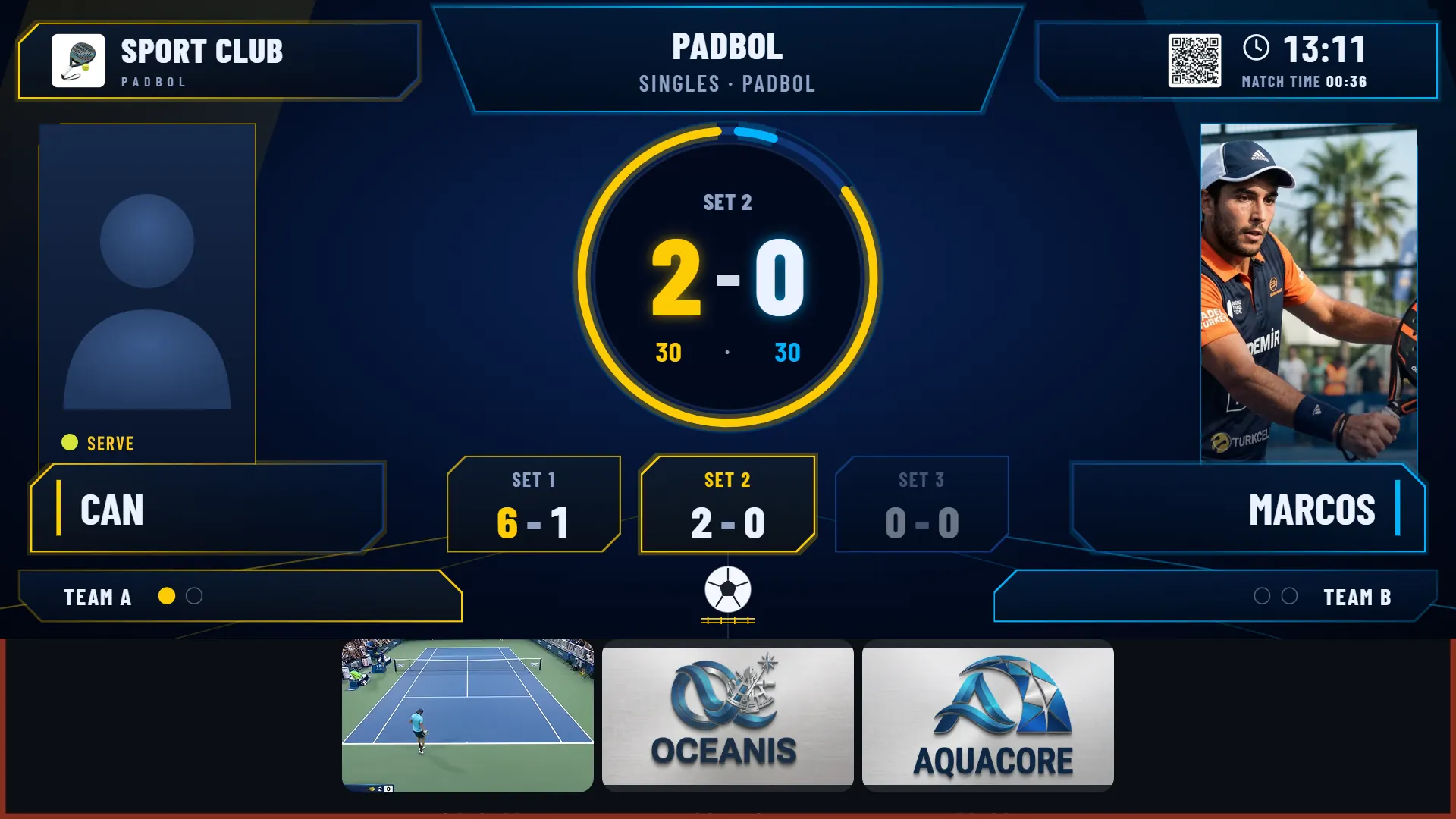
A padbol scoreboard app lets a player or a referee keep the score on a phone while the court TV shows it to everyone. With Multi Score Screen there is nothing to download: scan the QR code on the court TV, enter the PIN next to it and your phone controls that match. You tap the side that won each point, and the screen updates sets, games, the current point and the serve indicator.
Why a phone suits padbol
In padbol, players use their feet, head and body. Hands are free, but nobody wants to stop after a hard rally to work out the score. A phone on the bench by the court door is the simplest controller: one tap per point, and the TV does the rest.
Joining the match in four steps
- Scan the QR code on the court TV with a phone camera. The scoring screen opens in the browser; no app store, no account.
- Enter the PIN shown on the TV. It links the phone to that court only.
- Check the details, such as names and who serves first.
- Tap the winner of the first point. The TV updates immediately.
When the match ends and the court resets, a new QR code and PIN appear for the next booking.
One tap per point
| What happens | What you tap | What the TV shows |
|---|---|---|
| A pair wins a point | That pair | The current point moves on |
| A game is won | The pair that won the last point | Games in the set update |
| A set is won | The pair that won the last point | The set appears in its own box |
| Wrong pair tapped | Undo | The previous score, without restarting |
The current point is shown in a 15-30-40 style, with every set in its own box and a serve indicator beside the player. That layout is designed to be read from anywhere on the court and through the glass.
Who holds the phone
- Casual matches: one player, usually the first server; the others check the TV.
- League matches: each pair takes a set, or the home pair scores.
- Training and academy sessions: the coach scores practice games.
- Finals: a referee in referee mode.
Keep the phone on the bench, not in a pocket; padbol is too physical for phones in shorts.
Referee mode
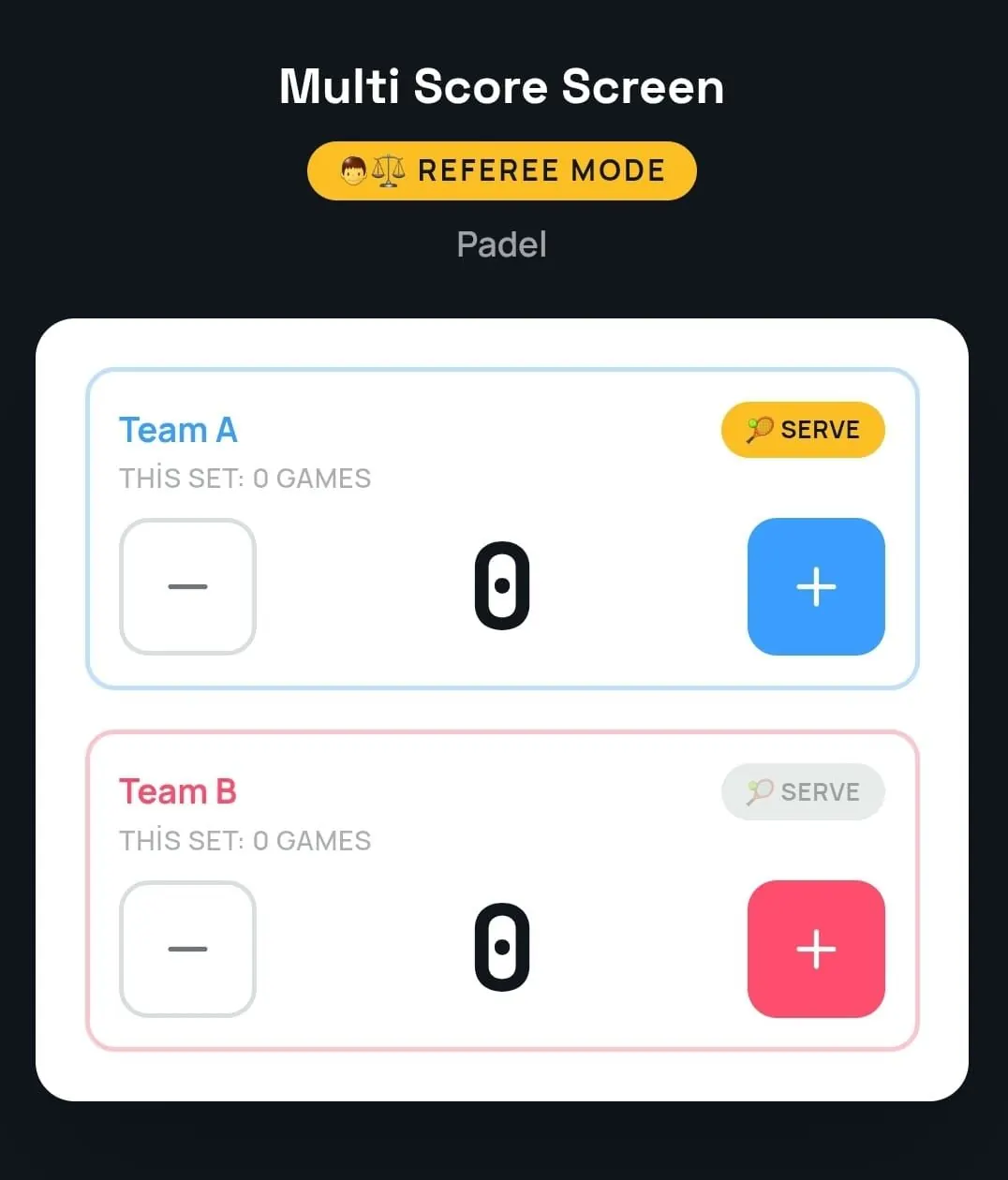
Referee mode turns the phone into a console with plus and minus buttons for each side, the serve indicator and the games of the current set. A referee or staff member adds a point, takes one back or sets the server, and the TV follows. It is the official score, entered by hand, with no sensors on court. Optical sensors that detect points automatically come with the Unlimited plan; without them, referee mode is how an official padbol score is kept. Its place in an event is shown in the padbol tournament scoreboard guide.
When the connection drops
If the venue's Wi-Fi drops for a moment, scoring keeps working and syncs once the connection returns. If the TV or phone cannot connect at all, the setup checks in how to set up a padbol scoreboard on your TV cover the basics.
Following without scoring
The QR code also opens a live link to the match in any mobile browser, with nothing to install. Friends, families and the next pair waiting for the court can follow it. Player names and photos used for a match are temporary and are removed when the match ends.
Formats and new players
Many padbol players are new to the sport. The screen helps them learn: they see games and sets build up as they play. Because rules can vary between federations and events, set up your format with us before relying on it for competition. For everyday bookings, the standard set, game and point display is what players see.
Coaches and academy sessions
Venues that run padbol academies or school sessions can use the phone as a coaching tool. The coach starts a match, scores practice games and uses the visible score to add pressure to drills. When the session ends, the coach closes the match and the court is ready for the next booking with a fresh code. Putting the court in lesson mode on the dashboard keeps coaching hours separate from rentals in the statistics.
What you need
Any modern smartphone with a browser. The court needs a TV or display with an internet connection and a streaming app or HDMI input. Plans are licensed per court: Starter ($44/month) for one court and one sport, Pro ($134/month) for up to five courts and all eight sports, Elite ($224/month) for up to ten courts, and Unlimited at $1,299 per court one-time, with no term limit and optical sensors included. See the pricing page. The general scoreboard remote control app guide compares phones, tablets and remotes for any sport.
Frequently asked questions
Do players need to download an app to score padbol?
No. They scan the QR code on the court TV and enter the PIN; the scoring screen opens in the browser.
How many phones are needed?
One. A single phone scores the whole match, and others can follow through the live link.
Can a referee take over the score?
Yes. Referee mode gives plus and minus buttons for each side, the serve indicator and the games in the set.
What if we tap the wrong pair?
Use undo. Point and game undo correct the mistake without restarting the match.
Does the score survive a short Wi-Fi drop?
Yes. Scoring keeps working and syncs once the connection returns.
Want to try it on your padbol court? Request a demo and score a point from your phone during the call.
Explore the Multi Score Screen digital scoreboard for padel, tennis, pickleball and 5 more sports →