Table Tennis Tournament Scoreboard: Running a Hall Full of Tables
By the Multi Score Screen team6 min read
Main guide: Table tennis scoreboard guide
In this guide
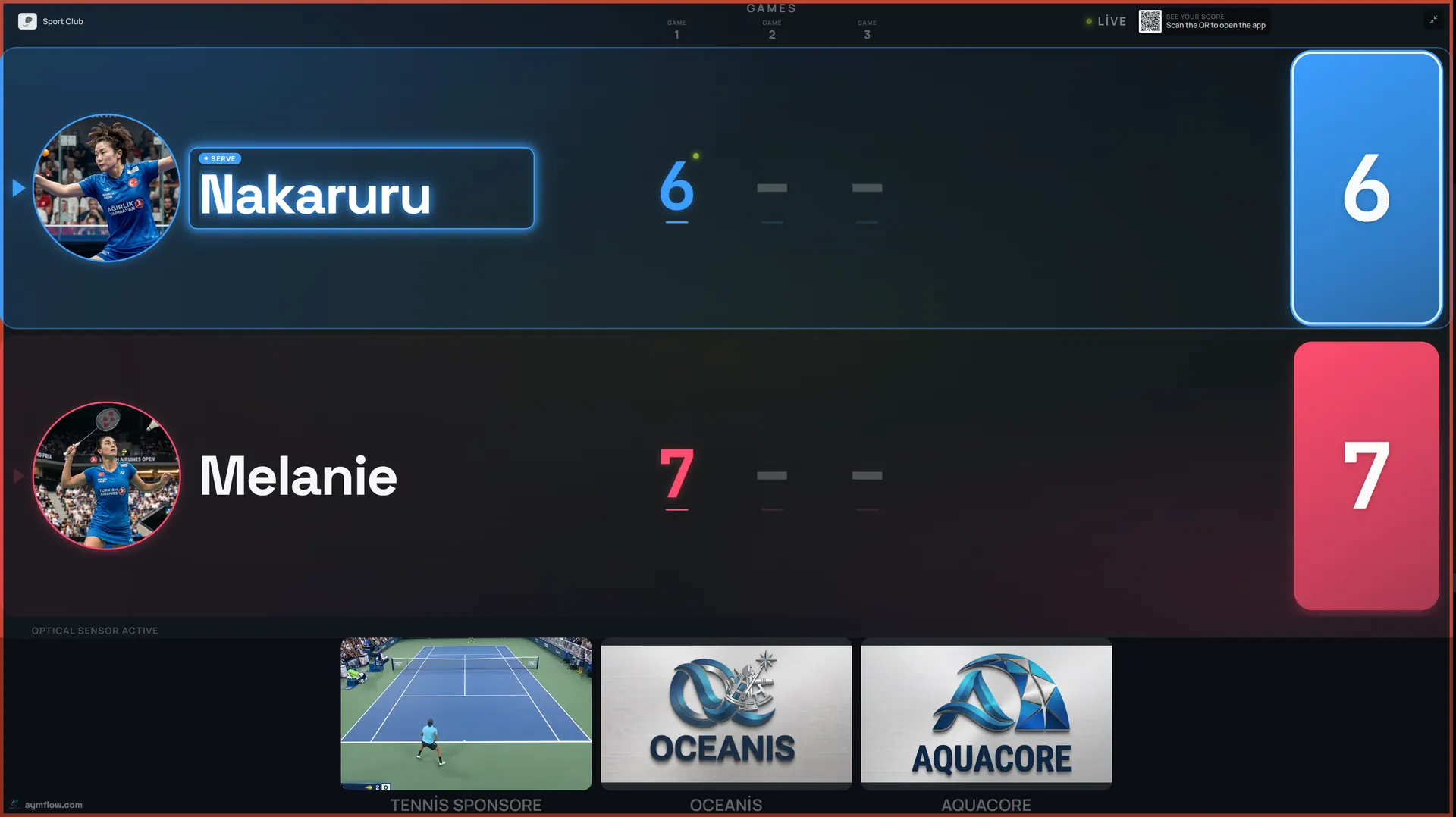
A table tennis tournament scoreboard puts the live score of every match on a TV beside its table and lets the control desk run groups and knockout rounds from one dashboard. Table tennis events move fast. A hall can hold sixteen tables, a single game can be over in four minutes, and a busy junior tournament may play several hundred matches in a day. Paper score sheets travel back to control, results are typed up, and the next match is called by shouting across the hall. Screens at each table turn that into something everyone can see.

What makes table tennis events different
Two things set table tennis apart from other racket sports on event day. First, volume: matches are short and plentiful, so the control desk turns tables over constantly. Second, density: tables sit a few metres apart behind low surrounds, and players from neighbouring matches are always in each other's eye line. A system that adds friction, such as an app to install or a long setup per match, breaks down quickly at that pace.
What each table shows
The TV shows the players' names and photos, the points in the current game, the game number, games won and who serves. Scoring follows the standard format: a game goes to 11, and from 10-10 it continues until one side leads by two. Service switches every two points, then after every point once the score reaches 10-10, and the serve indicator follows that rotation. The person scoring only records who won each rally.
Event formats
| Format | Where it is used | Planning point |
|---|---|---|
| Round-robin groups | Junior events, club leagues, ranking days | Many short matches; publish the group order early |
| Knockout | Club championships, closed events | Later rounds finish at different times |
| Groups feeding a knockout | Opens with guaranteed matches | Fix the cut-off before day one |
| Team matches | League fixtures between clubs | Several singles and a doubles per tie |
Competitions use an odd number of games, most often best of five, sometimes best of seven in later rounds or best of three for juniors. Confirm the formats you plan to use when you request a demo so you see them working before the event.
Setting up the hall
- Number the tables on the dashboard exactly as they are numbered on the barriers.
- Switch each event table to tournament mode and choose table tennis.
- Enter the players and groups, then assign the opening matches to tables.
- Check every TV shows its own QR code and PIN.
- Play a short test game on one table and take it to 10-10 to watch the service alternate.
During the day the Court Status Board, which the system uses for tables as well as courts, shows which tables are free, playing or reserved.
Umpires and self-umpiring
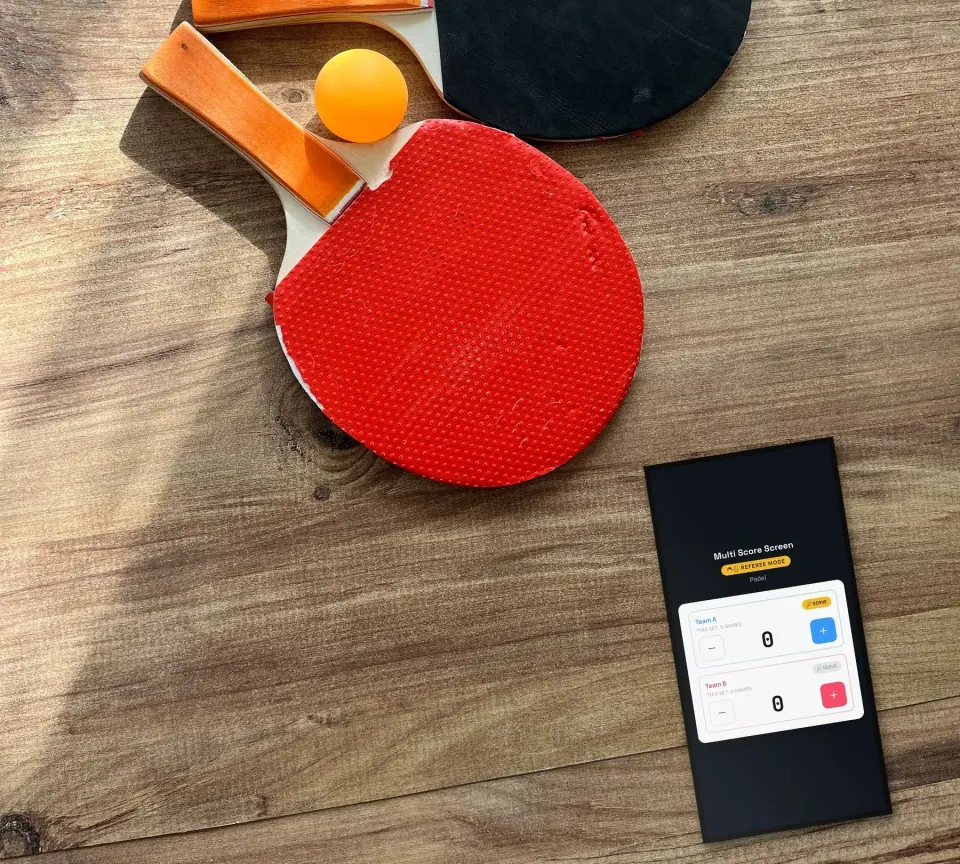
Higher-level events have an umpire at each table. In referee mode, the umpire's phone becomes a console with plus and minus buttons for each side and a serve indicator, built for a sport where points last a few seconds. At club events without umpires, the losing player of the previous match often scores the next one, which is a common table tennis custom. Mistakes are fixed with point or game undo instead of restarting. The phone side is covered in the table tennis scoreboard app guide.
Turning tables over faster
With every score visible from the control desk, calling the next match becomes simple. A table at 2-0 and 9-4 in the third game is about to free up; one at 2-2 and 8-8 in the fifth is not. Call the next pair to the table that is nearly finished so they can collect their bats and towels and be ready at the barrier.
Spectators, parents and coaches
Each TV shows a QR code that opens the match live in any browser. In junior events, parents can follow their child's table from the seating area instead of crowding the barriers, and coaches can keep an eye on two tables at once. When a match ends, the winner screen shows the game scores before the table resets. Names and photos are temporary and are removed at the end of the match.
Sponsors in a busy hall
Tournament days bring players, parents and coaches into the hall for hours. Every table screen carries a sponsor strip under the score, and between matches the screen can show full-screen images or video. Selling that space is covered in table tennis scoreboard sponsorship.
A ranking day, step by step
A club hosts a junior ranking day on twelve tables with 96 players. Groups of four play in the morning, each group on one table, with players scoring for each other. Control watches the status board and calls group matches as tables free up. After lunch the knockout runs on eight tables, with volunteers umpiring the quarter-finals onward in referee mode. The final is played on the table nearest the spectators, set to the Gold theme. Where to put each screen is covered in table tennis hall scoreboard.
Brief your umpires
Twenty minutes before play, show volunteer umpires the referee console on a spare table. Let each one enter a few points, swap the server, undo a point and take a game to 10-10. That short rehearsal saves far more time during the day than it costs.
When the last match is over
Switch the tables back to rental mode so normal bookings resume. Statistics show reservations and occupancy by sport and export to CSV, which is handy for the club committee or the league secretary. Ask your umpires what slowed them down and fix it before the next event.
Licences for a tournament hall
Licences are per table on the TV already there. Starter covers one table and one sport at $44/month. Pro covers up to five tables and all eight sports at $134/month. Elite covers up to ten tables with white-label branding at $224/month. Unlimited is a one-time $1,299 per table with no term limit and optical sensors included. If your hall has more than ten tables, ask us about the best setup; see the pricing page.
Frequently asked questions
Can we run a whole table tennis tournament from one dashboard?
Yes. Tournament mode handles groups and knockouts across many tables, and the status board shows which tables are free.
Does the scoreboard follow the service rotation?
Yes. Service changes every two points, then every point from 10-10, and the serve indicator follows it.
Can umpires enter points on a phone?
Yes. Referee mode gives plus and minus buttons for each side and the serve indicator; the TV shows the official score.
Can juniors play best of three?
Check shorter formats such as best of three with us before the event so you see them on screen.
How do parents follow a match?
They scan the QR code on the table's TV and follow the live score in their phone's browser.
Planning your next table tennis event? Request a demo and we will set up a test group on your TVs.
Explore the Multi Score Screen digital scoreboard for padel, tennis, pickleball and 5 more sports →